

Read this in other languages: English, Polski, Português
Telegram bot that forwards messages to and from Meshtastic device
The purpose of this bot is to act as a bridge between local Meshtastic conference and Telegram chat room. Nicks (Your Name field for Meshtastic) are passed through in both directions.
See official Meshtastic Python list
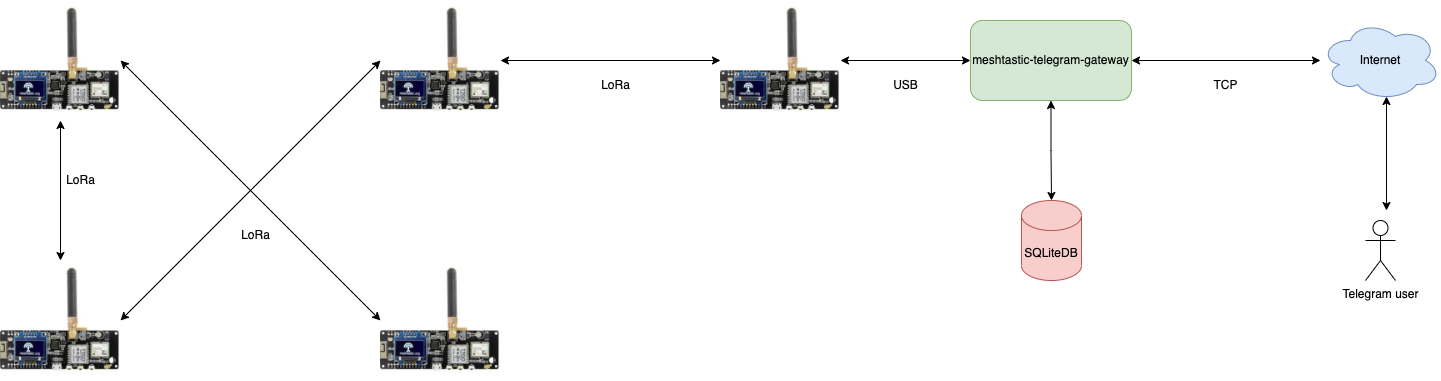
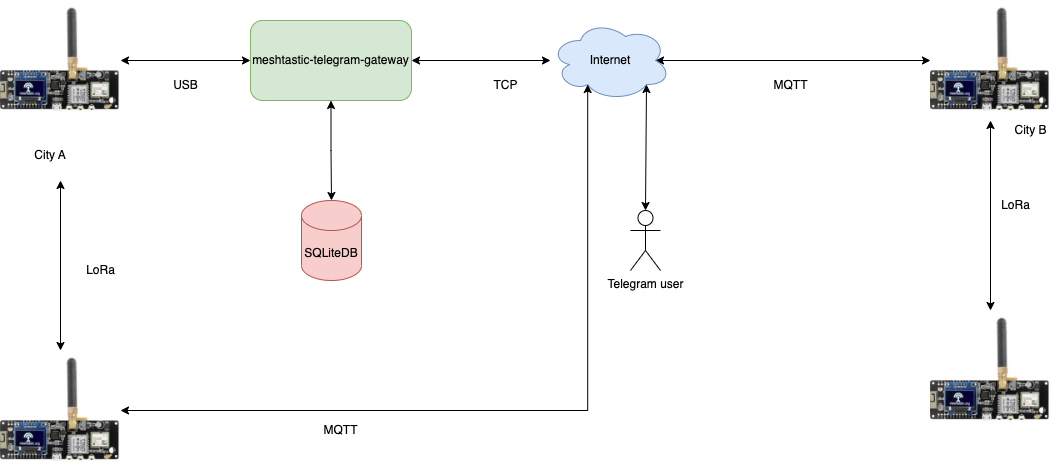
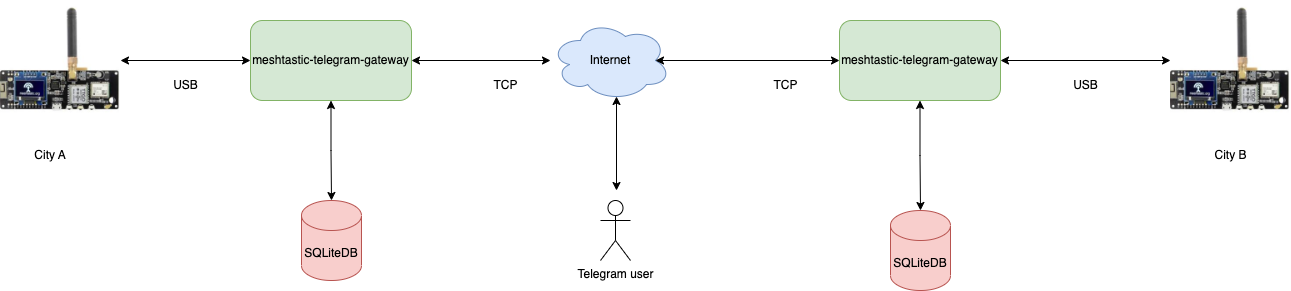
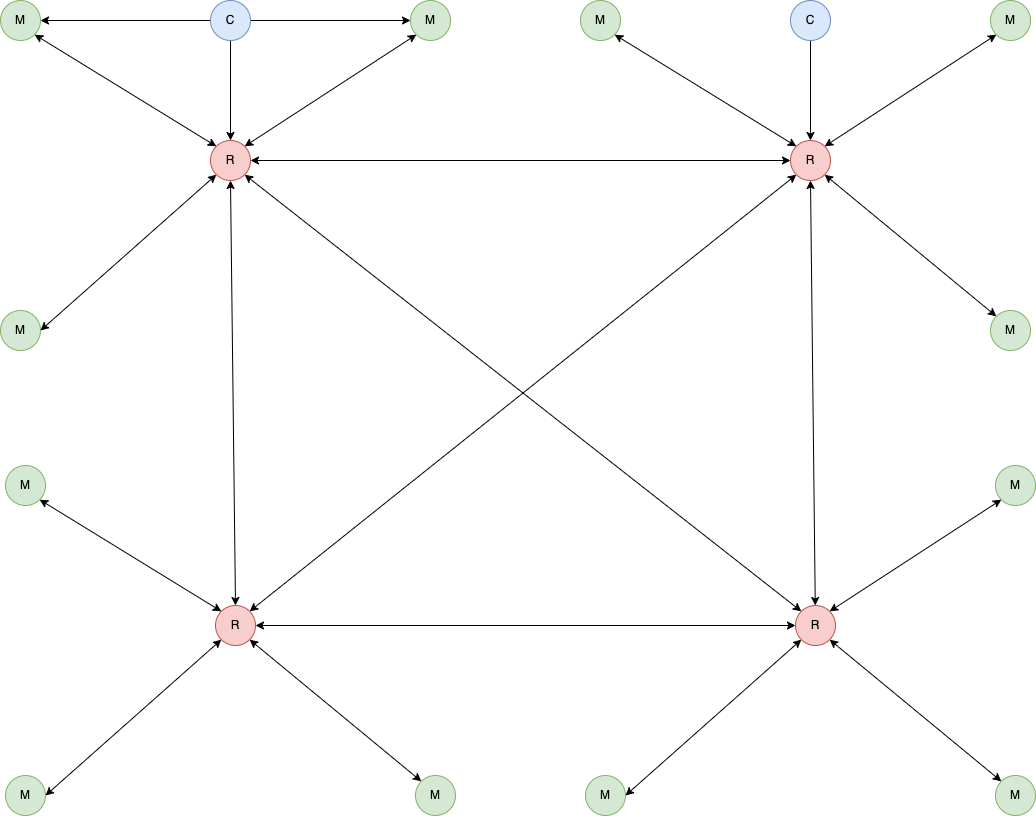
Legend:
- R - Radio only. With good setup (height + something similar to Diamond X510)
- M - Radio (with some Baofeng-like antenna) + MQTT
- C - Radio only. Mobile clients
Python 3.8+ is required.
When enabled, this bot listens on specified port and renders device map.
- Cluster markerer
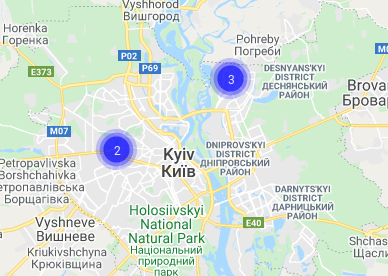
- Device details
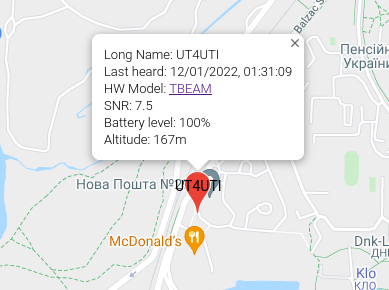
- Actual Kyiv community map
- Tail duration
Default value is 3600 seconds. Can be changed using ?tail=xxx query string, e.g.
https://mesh.0x21h.net/?tail=7200
- Run
cat mesh.ini.example|egrep -v '^#' > mesh.ini - Create new Telegram bot using @BotFather contact. Copy token to clipboard.
- Put token from previous step into
mesh.ini - Put admin id and room id into
mesh.ini - Edit
mesh.iniMeshtastic section to reflect your device configuration (usually not required, for Linux at least) - Run
sudo pip3 install -r requirements.txt - Run
gpasswd -a youruser dialout - Relogin
- Run
/start.sh - Enjoy
/start- basic command to confirm that bot is up and running/nodes- return list of known nodes (including those reachable via other hops)/qr- return active QR code for configuring new Meshtastic devices/map- return link to map
/distance- print distance to other Meshtastic devices (in meters) Sample answer:
UR5YBM-aa60: 19m
UT3ULJ: 2,316m
/ping- ping currently connected Meshtastic node and get response. Sample answer:
Pong from UR5YBM-aa60 at 10.00 SNR time=9.632s
/stats- get some stats for current node Sample anwser:
Locations: 1234. Messages: 20
/reboot - request Meshtastic device reboot. Requires respective admin privileges.
/uptime - returns bot version/uptime
$ ./mesh.py --help

usage: mesh.py [-h] {post2mesh,run,command} ...

optional arguments:
  -h, --help            show this help message and exit

commands:
  {post2mesh,run,command}
                        commands
    post2mesh           site command
    run                 run
    command             Send command
Sending messages to Meshtastic device:
$ ./mesh.py post2mesh -m "test"
Sending commands to Meshtastic device:
$ ./mesh.py command -c reboot
This bot has experimental support for MQTT-only mode.
If you want to use the bot without Meshtastic hardware, you need to edit mqtt.ini file and
enable MQTT section in mesh.ini file.
This requires setting [Meshtastic] section device to mqtt.
This bot provides bi-directional text messaging with APRS nodes using APRS-IS. Meshtastic nodes with valid amateur call signs will be announced to APRS network. See
[APRS] configuration section.
- Store your plugin in external/plugins, along with an empty
__init__.py - Note that
ExternalBaseparent class is for dynamic plugin loading. NoHandlermethods will be called, but you will have access to bot connections. - Sample
import asyncio

class Handler:
  def __init__(self, database, config, meshtastic_connection, telegram_connection, logger):
    self.database = database
    self.config = config
    self.meshtastic_connection = meshtastic_connection
    self.telegram_connection = telegram_connection
    self.logger = logger

  async def main(self):
    self.logger.info('Server started...')
    while True:
      try:
        await asyncio.sleep(1)
      except Exception as exc:
        pass

class FooBar(ExternalBase):
    def __init__(self, database, config, meshtastic_connection, telegram_connection, logger):
        # Init handler
        self.handler = Handler(database, config, meshtastic_connection, telegram_connection, logger)

    def run(self):
        asyncio.run(self.handler.main())