Contributors: @serialdot
Tags: gallery, fancybox, images, shortcode, lightbox
Requires at least: 5.7
Tested up to: 6.8
Stable tag: 1.0.1
License: GPLv2 or later
License URI: http://www.gnu.org/licenses/gpl-2.0.html
Text Domain: add-gallery-anywhere
Domain Path: /languages
Add Gallery Anywhere allows you to dynamically insert image galleries into any page or post using a simple shortcode. Built with Fancybox integration and responsive layout, it lets you showcase images in a beautiful lightbox, complete with captions and alt text.
- Add galleries via shortcode:
[add-gallery-anywhere id="your-gallery-id"] - Fully responsive layout
- Lightbox functionality using Fancybox
- Add multiple images with captions and alt text
- Customize column layout per gallery
- Unlimited galleries on any page/post
This section describes how to install the plugin and get it working.
- Upload the plugin files to the `/wp-content/plugins/add-gallery-anywhere, or install the plugin through the WordPress plugins screen directly.
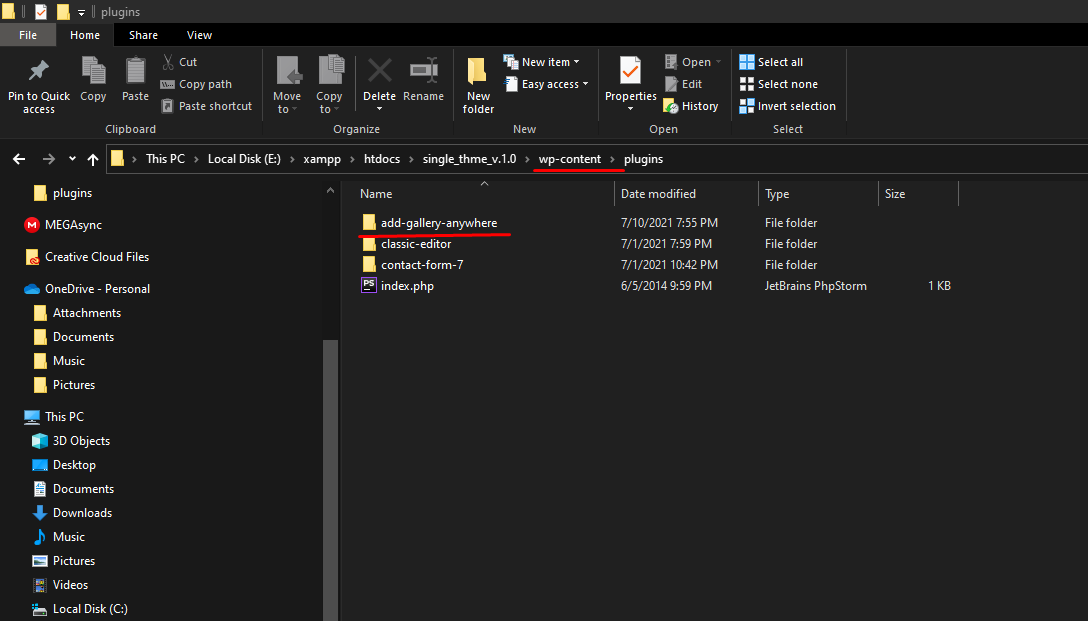
-
Activate the plugin through the 'Plugins' screen in WordPress

-
Then goto Gallery Anywhere post and your gallery

- Add your galley how many you want

Add New Gallery

Select Per Columns

Published the Gallery


- Copy the ShortCode First, Paste the shortcode into the post or page


Q: How do I add a gallery to a page or post?
A: Use the shortcode [add-gallery-anywhere id="your-gallery-id"].
Q: Does this plugin support lightbox functionality?
A: Yes! It uses Fancybox with HTML integration for lightbox display.
Q: How do I control the number of images per row?
A: Set the number of columns in the gallery post editor or plugin settings.
- Integrated Fancybox with HTML plugin
- Added captions and alt text support
- Enhanced responsive layout
- Bug fixes and security improvements
- Initial release with basic gallery and shortcode support
1.0.1
Now with Fancybox support and improved image metadata handling. Highly recommended upgrade for better performance and features.
This plugin uses Fancybox — a powerful and elegant lightbox library. Special thanks to the team at Fancyapps.