

A powerful visual editor for Home Assistant automations and scripts. This add-on provides a cleaner, more intuitive interface for creating and editing automations, with built-in version history that allows you to review changes and restore previous versions when needed.
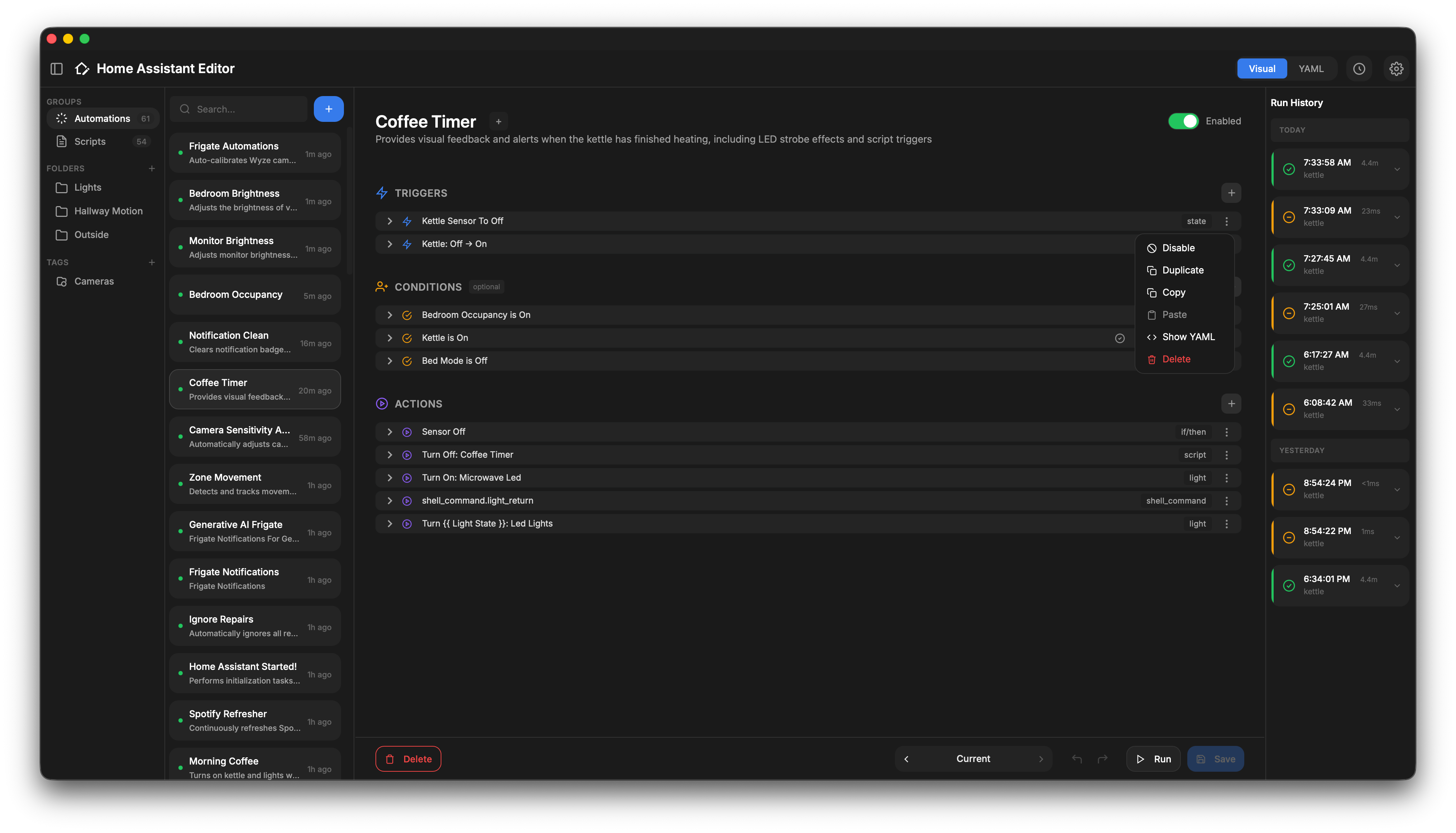
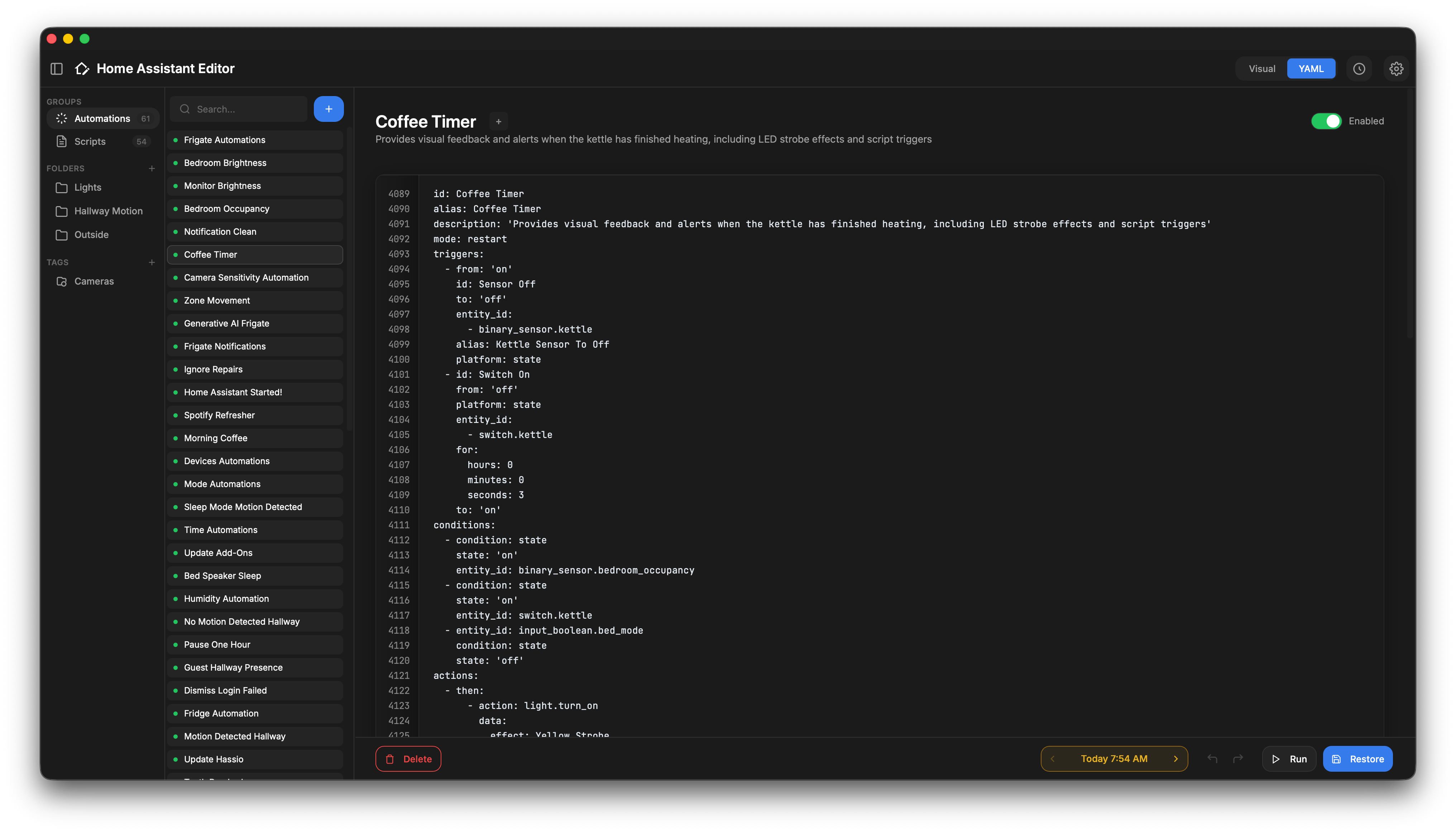
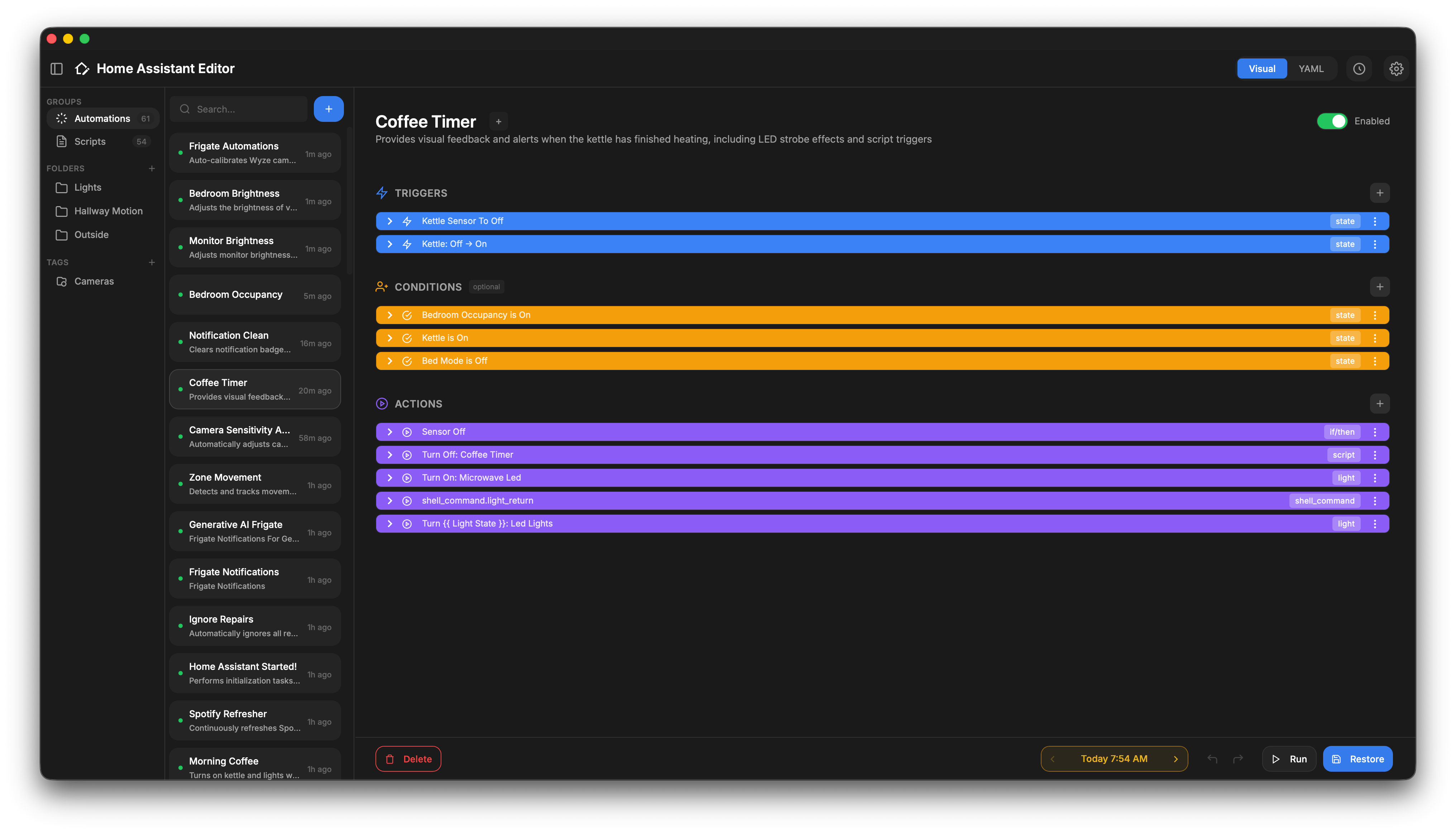
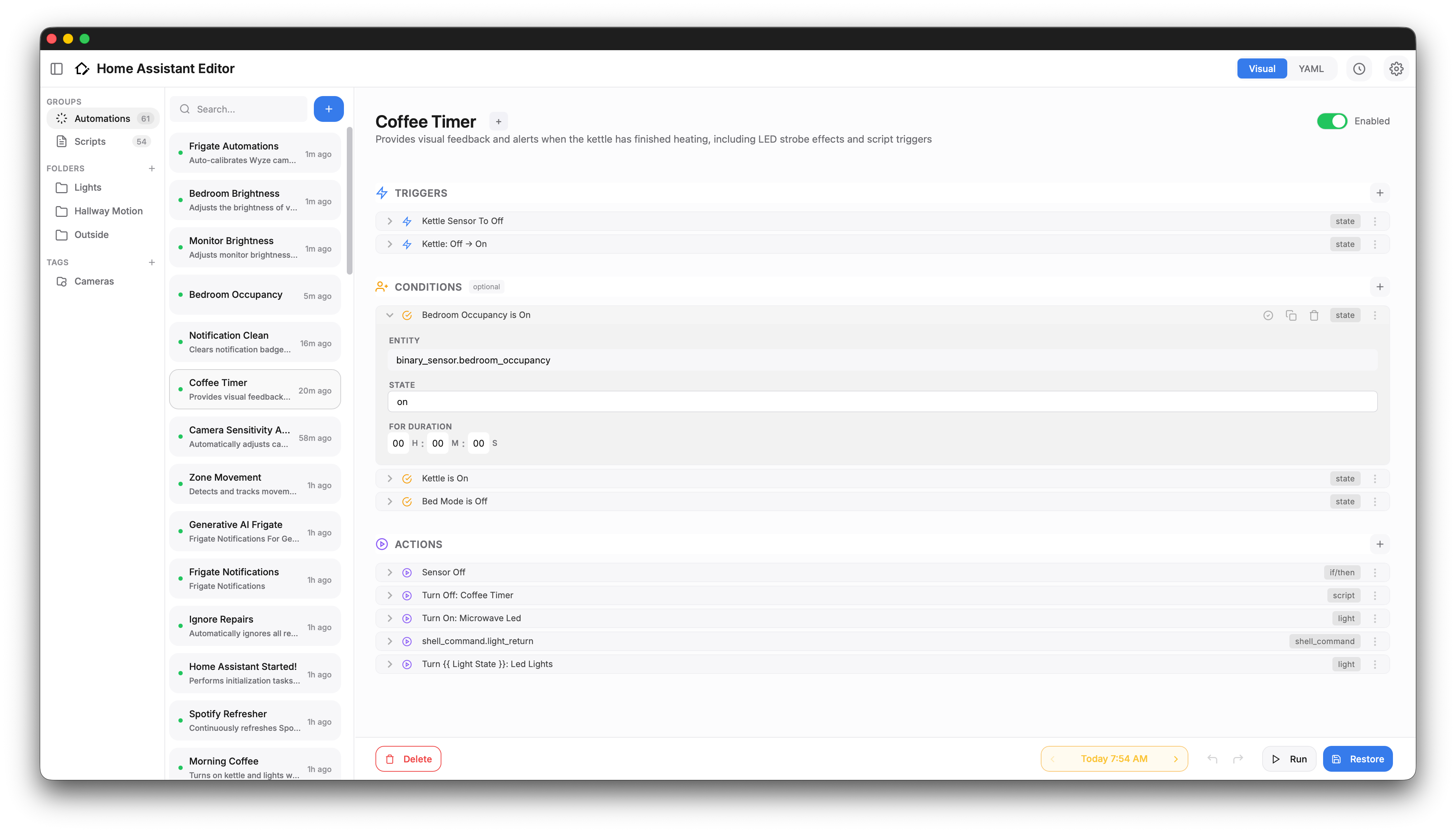
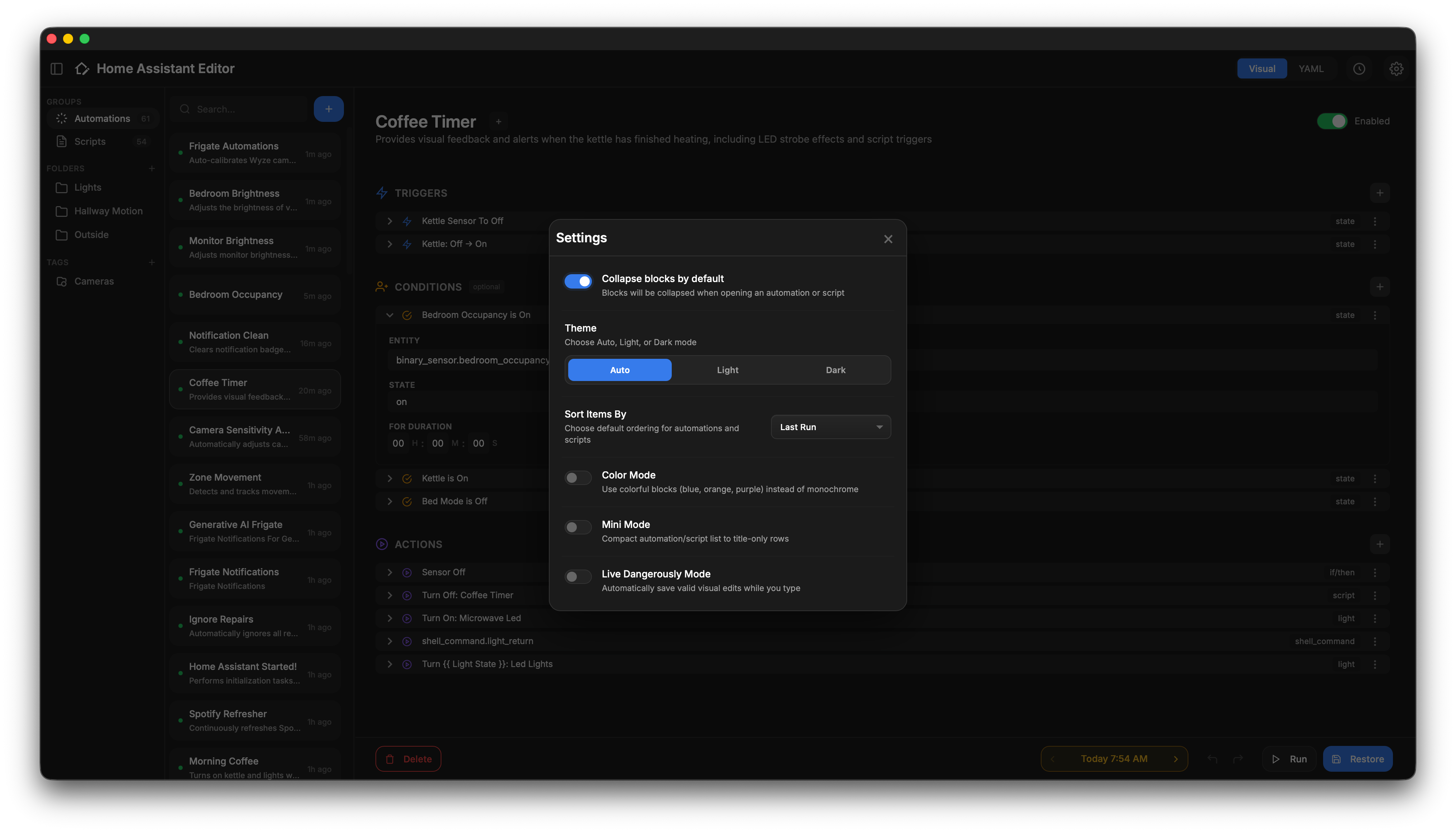
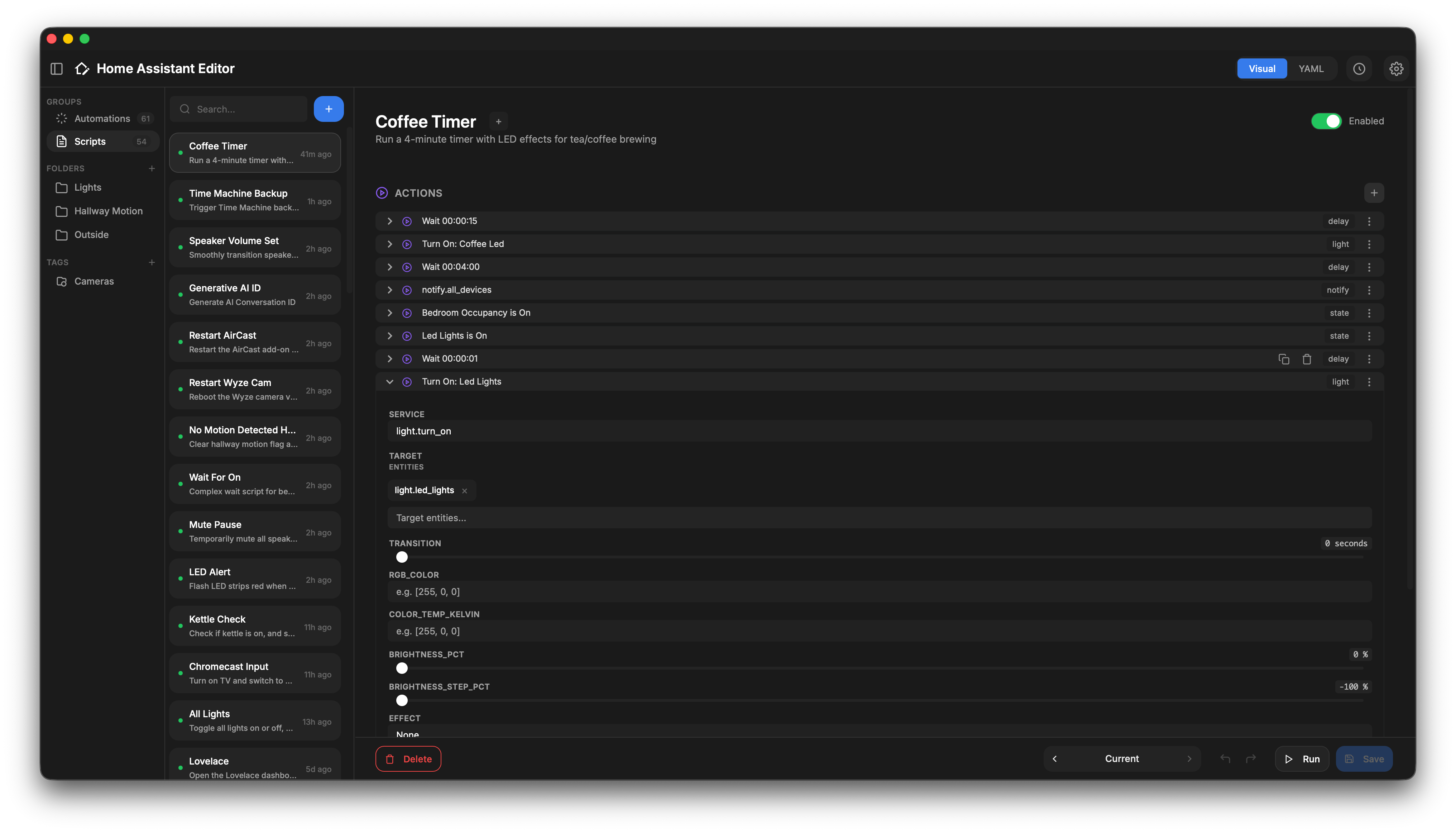
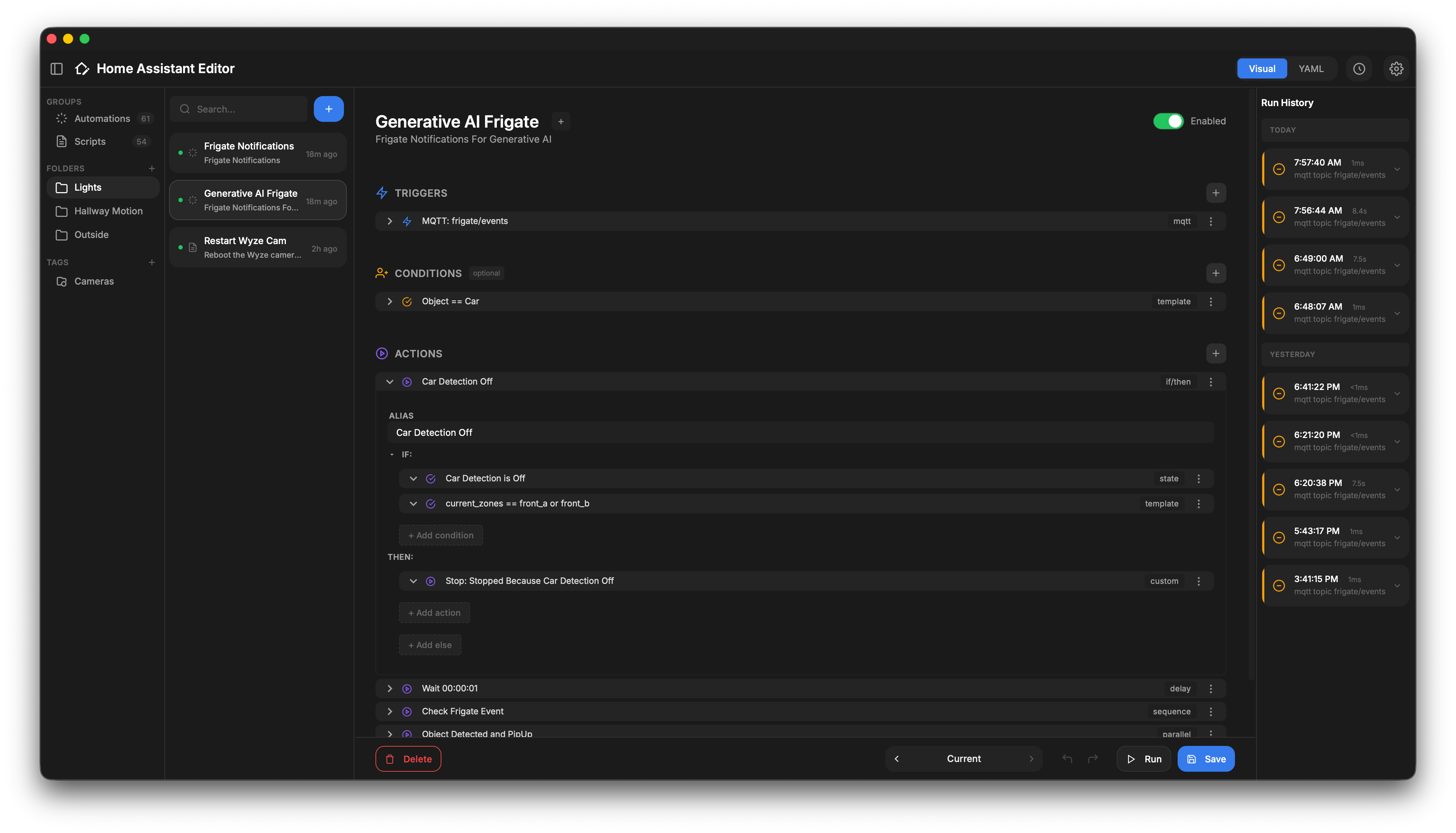
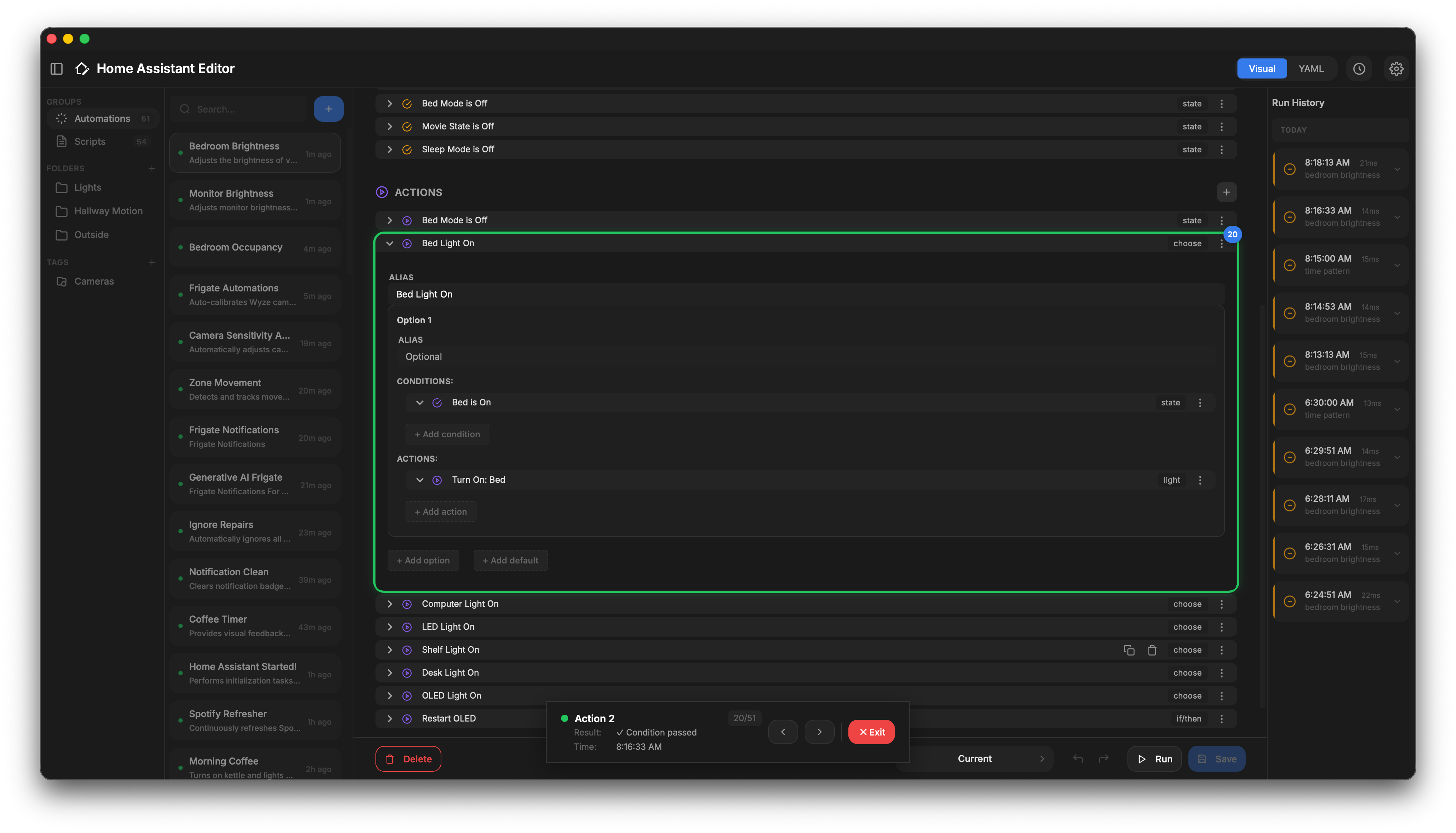
The 1.3.0 release focuses on configurations that live outside a single file:
- Blueprint Automations — Automations built on blueprints now appear in the list, open with their blueprint inputs visible, and can be filtered like any other automation.
- Recursive
!includeSupport — Includes are resolved at any depth, so a package directory that points at further files or directories is picked up. Every!include_dir_*variant is parsed with its correct shape: single item, named map, or list. - Config Warnings — Files that cannot be read or parsed are listed in the editor with the file name and the YAML error, instead of leaving you with an empty list.
- Device & Area Names — Device and area IDs resolve to readable names in the visual editor using the local registry.
- Entity Lookup Fallback — Falls back to
/api/stateswhen/api/entitiesis unavailable, so entities are found on container installs.
- Three-Column Layout - Sidebar navigation, items list, and editor workspace side by side
- Visual Action Blocks - Color-coded, expandable blocks for triggers, conditions, and actions
- Blueprint Support - Automations built on blueprints render with their inputs and can be filtered
- Version History & Restore - Browse "commits" and restore previous versions via Version Control integration
- Session Undo/Redo - Full support for reversing structural changes and field edits during your editing session
- Advanced Editing - Inline editing with searchable pickers, live Trigger ID suggestions, and instant Visual/YAML toggles
- Smart Folders & Hashtags - Organize and filter your items using custom folders and tags
- Trace Replay Mode - Navigate past runs step-by-step to debug logic or condition failures
- Professional YAML Support - Resolves
!includechains recursively, including packages and split configs, and reports files it cannot read - Instant Sync - Changes are saved directly to your YAML and auto-reloaded in Home Assistant
There are two ways to install Home Assistant Editor: as a Home Assistant add-on or as a standalone Docker container.
-
Add Repository: Click the button below to add the repository to your Home Assistant instance:
Or manually add it:
- Navigate to Settings → Add-ons → Add-on Store
- Click the three dots (⋮) in the top right corner and select Repositories
- Add the repository URL:
https://github.com/saihgupr/ha-addons
-
Install the Add-on: Search for "Home Assistant Editor" in the store and click Install.
-
Start: Start the add-on and click Open Web UI.

Tip
Beta Version Available: To try the latest experimental builds, use the beta add-on repository: https://github.com/saihgupr/ha-addons-beta.
The beta repo tracks the develop branch.
For Docker users who aren't using the Home Assistant add-on, you have three deployment options:
Option A: Docker Compose (recommended):
-
Download the
compose.yamlfile:curl -o compose.yaml https://github.com/saihgupr/HomeAssistantEditor/raw/main/compose.yaml
-
Edit the file to set your paths:
nano compose.yaml # Update the volume path: /path/to/your/ha/config -
Start the service:
docker compose up -d
Option B: Docker Run (pre-built image):
docker run -d \
  --name ha-editor \
  -v /path/to/your/ha/config:/config \
  -e HA_URL="http://your-home-assistant-ip:8123" \
  -e SUPERVISOR_TOKEN="your_long_lived_access_token" \
  -p 54002:54002 \
  ghcr.io/saihgupr/homeassistant-editor:latest
Tip
Use the IP address (e.g. 192.168.1.100) instead of homeassistant.local for HA_URL and VC_URL to ensure reliable communication between containers.
Option C: Build locally:
git clone https://github.com/saihgupr/HomeAssistantEditor.git
cd HomeAssistantEditor/homeassistant-editor
docker build -t ha-editor .

docker run -d \
  --name ha-editor \
  -v /path/to/your/ha/config:/config \
  -e HA_URL="http://your-home-assistant-ip:8123" \
  -e SUPERVISOR_TOKEN="your_long_lived_access_token" \
  -p 54002:54002 \
ha-editor# Clone the repository
git clone https://github.com/saihgupr/HomeAssistantEditor.git
cd HomeAssistantEditor/homeassistant-editor
# Install dependencies
npm install
# Start the server (uses ./test-config as the config path)
CONFIG_PATH=./test-config npm run devWhen running in Docker mode, the application can be configured using the following environment variables:
| Variable | Description | Default |
|---|---|---|
HA_URL |
The external URL of your Home Assistant instance | null |
SUPERVISOR_TOKEN |
A Long Lived Access Token created in your HA profile | null |
CONFIG_PATH |
The internal path to the HA config directory | /config |
VC_URL |
The URL of your Home Assistant Version Control instance | null |
PORT |
The port the server listens on | 54002 |
Note
For standalone usage, SUPERVISOR_TOKEN and HA_URL are required for the editor to communicate with Home Assistant (reloading automations, etc.).
- Select a group - Choose between Automations or Scripts in the left sidebar
- Select an item - Click any automation or script to load it in the editor
- Edit visually - Modify triggers, conditions, and actions using the visual blocks
- Toggle to YAML - Click the Visual/YAML toggle to see or edit raw YAML
- Save - Click Save to write changes and reload in Home Assistant
Right-click on items or blocks to access powerful context-sensitive actions:
- On Automations/Scripts: Quickly Enable/Disable, Run, Duplicate, or Delete without opening the item.
- On Visual Blocks: Right-click anywhere on a block to Duplicate, Delete, Enable/Disable, Show YAML, or Run individual actions instantly.
| Shortcut | Action |
|---|---|
Cmd/Ctrl + S |
Save current item |
Cmd/Ctrl + Z |
Undo |
Cmd/Ctrl + Shift + Z / Cmd + Y |
Redo |
Escape |
Close modal dialogs |
Right Click |
Context menu (Items & Blocks) |
The Home Assistant Editor includes deep integration with the Home Assistant Version Control addon.
Important
To enable Version History features, you must have the Home Assistant Version Control addon installed and running on your instance.
Found a bug or have a feature idea? Please open an issue.
Want to contribute code? Pull requests are welcome! We use the main branch for stable releases and the develop branch for active development.
Home Assistant Editor is open-source and free. If you find it useful, consider giving it a star ⭐ or making a donation to support development.