Trash2Cash is a dedicated AI chatbot platform developed for the Google Solution Challenge. It helps users manage e-waste responsibly by classifying items, suggesting disposal options (recycle, sell, repair, safe disposal), and fostering community awareness through an integrated forum and event listings.
Our solution aligns with the following United Nations Sustainable Development Goals (SDGs):
- Goal 11: Sustainable Cities and Communities (Focus on waste management)
- Goal 12: Responsible Consumption and Production (Focus on reducing waste, recycling, reuse)
- Live MVP: https://trash-2-cash.vercel.app
- Demo Video: https://youtu.be/29t3g7Ywg1c
- Presentation Slides: View Slides
- GitHub Repository: https://github.com/rajathnh/Trash-2-Cash
The Growing Crisis of E-Waste: Improper disposal of electronic waste poses significant environmental threats due to toxic materials and resource depletion. Citizens often lack accessible tools to classify waste correctly, find appropriate local disposal/recycling options, and understand the broader impact, hindering sustainable practices.
Trash2Cash offers a comprehensive platform featuring:
- 🤖 AI Waste Assistant (EcoBuddy): Uses Google Gemini API to classify e-waste from text/images and guides users on next steps (Recycle, Sell, Repair, Dispose). Features multilingual support.
- 📍 Location-Based Disposal Centers: Integrates Google Maps API to show nearby certified recycling/disposal locations.
- 📚 Awareness Hub: Educational content explained by the EcoBuddy mascot.
- 💬 Community Forum: Allows users to share tips, recycling stories, and ask questions.
- 📅 Events Page: Auto-updated listings of recycling events (via Puppeteer scraping) to foster real-world engagement.

- User visits the web app.
- Uploads an image or describes the e-waste item.
- The AI Chatbot (powered by Gemini) classifies the item and suggests next steps.
- Google Maps integration suggests relevant local options (recycling centers, etc.).
- The Forum and Events pages build community awareness and drive action.
- Real-time AI Guidance: Smart chatbot provides instant, actionable advice, unlike static websites.
- AI + Maps Integration: Offers location-specific help, not just generic information.
- Community-Driven: Builds a movement via forums and real-world event listings.
- Multilingual & Inclusive: Accessible to a wider audience.
For Users:
- Image Upload: Snap/upload e-waste images for instant identification.
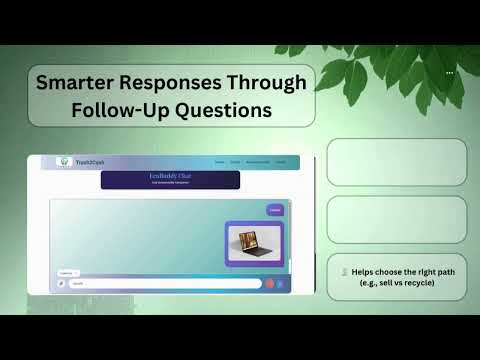
- Smart Chatbot: Classifies items, asks follow-ups, guides actions using Google Gemini.
- Disposal Centers: Uses Google Maps API to show nearby certified locations.
- Multilingual: Accessible in regional languages.
For Awareness & Engagement:
- Awareness Pages: Educational content featuring the EcoBuddy mascot.
- Community Forum: Space to share repair tips, recycling stories, ask questions.
- Events Page: Auto-updated listings of recycling events via Puppeteer.
Intelligent Backend:
- AI Classification Engine: Google Gemini API for image understanding & smart responses.
- Chat Logging & Feedback: MongoDB stores interactions to potentially improve responses over time.


- Frontend: React (Hosted on Vercel)
- Backend: Node.js + Express (Hosted on Google Cloud Run)
- Database: MongoDB Atlas
- APIs/Services: Google Gemini API, Google Maps API, Puppeteer
Frontend:
- React.js: Component-based UI library.
- Axios: Promise-based HTTP client.
- Styled Components: CSS-in-JS styling.
- React Router DOM: Client-side routing.
- Vercel: Deployment platform for static sites and serverless functions.
Backend & Infrastructure:
- Node.js: JavaScript runtime environment.
- Express.js: Minimalist web framework for Node.js.
- MongoDB Atlas: Cloud-hosted MongoDB service.
- Mongoose: ODM for MongoDB.
- Puppeteer: Headless Chrome Node.js library (for scraping).
- Multer: Middleware for handling multipart/form-data (file uploads).
- JWT (jsonwebtoken): For handling user authentication tokens.
- Cloudinary: Cloud-based image and video management service.
- dotenv: Loads environment variables from a
.envfile. - cors: Middleware for enabling Cross-Origin Resource Sharing.
Google Technologies:
- G Gemini API: Powers the AI classification and chatbot intelligence.
- G Google Maps API & Places API: Shows nearest disposal/recycling centers and map integration.
- G Google Cloud Run: Fully managed compute platform for deploying containerized applications (Backend hosting).
- Marketplace Integration: Single-click listing on platforms like OLX, eBay via API integration.
- E-waste Impact Tracker: Allow users to track their environmental contribution (diversion metrics, visualizations).
- Mobile App (Flutter): Cross-platform mobile app with offline support and camera scanning.
- Community & Partnerships: Collaborate with recycling centers, schools/colleges for awareness campaigns.
- Scalability & Optimization: Migrate data infrastructure (Firestore/BigQuery), implement load balancing, develop PWA.
Click to expand Development Setup Instructions
- Node.js (v16+)
- npm or yarn
- Git
- MongoDB instance (local or Atlas)
- Cloudinary Account
- Google Cloud Platform Project with Gemini API, Maps JavaScript API, Places API enabled
- MongoDB Connection String (
MONGO_URI) - JWT Secret Key (
JWT_SECRET) - Cloudinary Cloud Name, API Key, API Secret (
CLOUDINARY_...) - Google Gemini API Key (
GEMINI_API_KEY) - Google Maps/Places API Key (
MAPS_API_KEY&REACT_APP_MAPS_API_KEY)
-
Clone the repository:
git clone https://github.com/rajathnh/Trash-2-Cash.git cd Trash-2-Cash -
Backend Setup:
- Navigate to the backend directory (e.g.,
cd backend). - Install dependencies:
npm install - Create a
.envfile in the backend directory with the following structure (replace placeholders):PORT=5000 FRONTEND_URL=http://localhost:3000 # Or your Vercel URL for production MONGO_URI="YOUR_MONGODB_CONNECTION_STRING" JWT_SECRET="YOUR_STRONG_RANDOM_JWT_SECRET" JWT_LIFETIME="1d" CLOUDINARY_CLOUD_NAME="YOUR_CLOUDINARY_CLOUD_NAME" CLOUDINARY_API_KEY="YOUR_CLOUDINARY_API_KEY" CLOUDINARY_API_SECRET="YOUR_CLOUDINARY_API_SECRET" GEMINI_API_KEY="YOUR_GOOGLE_GEMINI_API_KEY" MAPS_API_KEY="YOUR_GOOGLE_MAPS_PLACES_API_KEY"
- Navigate to the backend directory (e.g.,
-
Frontend Setup:
- Navigate to the frontend directory (e.g.,
cd ../frontend). - Install dependencies:
npm install - Create a
.envfile in the frontend directory:REACT_APP_BACKEND_URL=http://localhost:5000 # Or your backend server URL REACT_APP_MAPS_API_KEY="YOUR_GOOGLE_MAPS_PLACES_API_KEY"
- Navigate to the frontend directory (e.g.,
-
Start the Backend Server:
cd backend # Or your backend directory
node server.js # Assuming server.js is the entry point
-
Start the Frontend Development Server:
cd ../frontend # Or your frontend directory
npm start
Access via
http://localhost:3000.
- Navigate to the backend directory.
- Ensure Puppeteer is installed (
npm install puppeteer). - Run:
node scripts/getEvents.js(Adjust path if needed).
- Team Name: Legion Hackers
- Team Leader: Rajath N H
- Team Member: Prajnan Vaidya
- Team Member: Preeti Bhat
- Team Member: Yashaswini D B