Rancid Tomatillos is a website where users can view movies that are fetched from an online server. The user has the ability to search for movies by title and can click on a movie poster to view more detailed information about the movie and watch related trailers/movie clips. We utilized React to build the application with both functional components and class based components. We also utilized Router v5 to convert our single-page application into one that functions like a multi-page application with the ability to go directly to different URL paths to view individual movies. We also utilized controlled forms, React's state and Router to conditionally render relevant DOM elements while keeping load times to a minimum. Lighthouse scores our application at 100 for accessibility and we have zero WAVE errors. We also utilized Cypress end-to-end testing to thoroughly test all user stories and our error handling for server or client errors.
- Fork and clone this repo.
- Copy the SSH key from the green "Code" button.
- In your terminal, use the command
git clone git@github.com:[https://github.com/qrispi/rancid-tomatillos]. - Run
npm install. - Do NOT run
npm audit fix --forcewhen prompted. - Open the repo in your text editor to make any changes or inspect code.
- Run
npm startin your terminal. - Copy and paste the generated
localServeraddress that your terminal provides into your browser address bar.
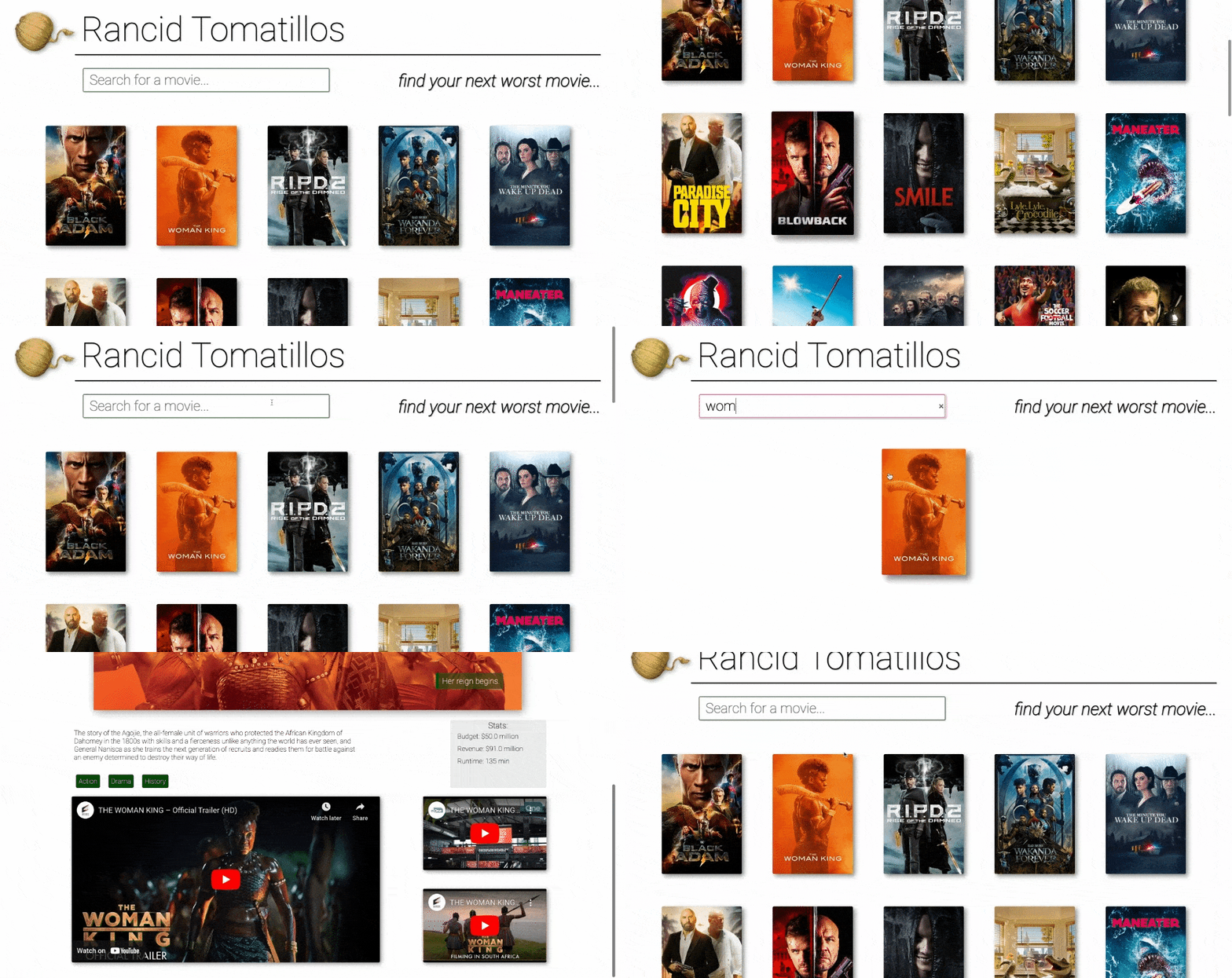
- This project was completed in a week and a half sprint with two collaborators. We spent about 50 hours total on this project with about 2/3 of that time spent paired programming and the other third spent coding individually. This was our first time building an application using React & Router and testing it with Cypress.
- Gain competency with React fundamentals
- Learn how to test React components & asynchronous JS using Cypress
- Practice refactoring
- Create a multi-page UX using Router
- Fetch API
- Webpack
- Cypress E2E Testing
- React Framework
- Router v5
- LightHouse
- Wave Evaluation
- GitHub Issues & Project Board
- JavaScript
- CSS
- HTML
- Wins:
- Implementing the search bar was very fun and an exciting exploration into React and the philosophy of 'data down, actions up'.
- We learned some of the finer intricacies of Git workflow by resolving merge conflicts, mis-placed merges, and partial commits.
- Utilizing Cypress to mock server errors and test the handling of these errors in real-time was very beneficial and helped solidify our use of dynamic error handling.
- Challenges:
- Utilizing Router to conditionally render the individual movie details and trailers was quite challenging at first. Through talking with peers & mentors, reading documentation, and trial & error, we were able to do this successfully by converting the single movie component into a class based component and handling all fetches and state changes inside that component.
- Router NavLinks also gave us some frustration with their innate styling and functionality. Some of it was very useful while other pieces made it difficult to cohesively style the page. Through careful rendering and multiple CSS classes, we were able to overcome these difficulties.
- Add tomatillo icons (instead of stars) on the Poster elements to show their ranking out of five.
- Add ability to search for movies by genre.
- Utilize server's ability to store individual users and submit their own rankings for the movies.