ESPEDfGK will decode ESP8266 & ESP32 exceptions and show the source code where it happend.
It can be fully automated to a point where exceptions are catched automatically and passed to ESPEDfGK.
If an exception happens, copy the serial output from the IDE into the window of ESPEDfGK. Create an up to date binary (Alt + Ctrl + S). Decode.
Disconnect the Arduino IDE serial monitor, connect ESPEDfGKs serial monitor and wait for the exception to happen. Click the RED button on the serial monitor tab. Create an up to date binary (Alt + Ctrl + S). Decode.
Replace the Arduino IDE serial monitor with an new one: https://github.com/holgerlembke/serial-monitor
It will catch exception automatically, no need to watch for it or wait for it. If exceptions happen they will be tracked.
Click the RED button on the Decode tab. Create an up to date binary (Alt + Ctrl + S). Decode.
On the Settings tab you need to add the path to _xtensa-esp-elf-addr2line.exe Just use the buttons, it might need some time to find all the variouse verions on you system. It does not matter much which you choose, mosst of the times the freshes is a good choice.
This is a work in progress thing. I do enhancements, fixes and debugging as I need.
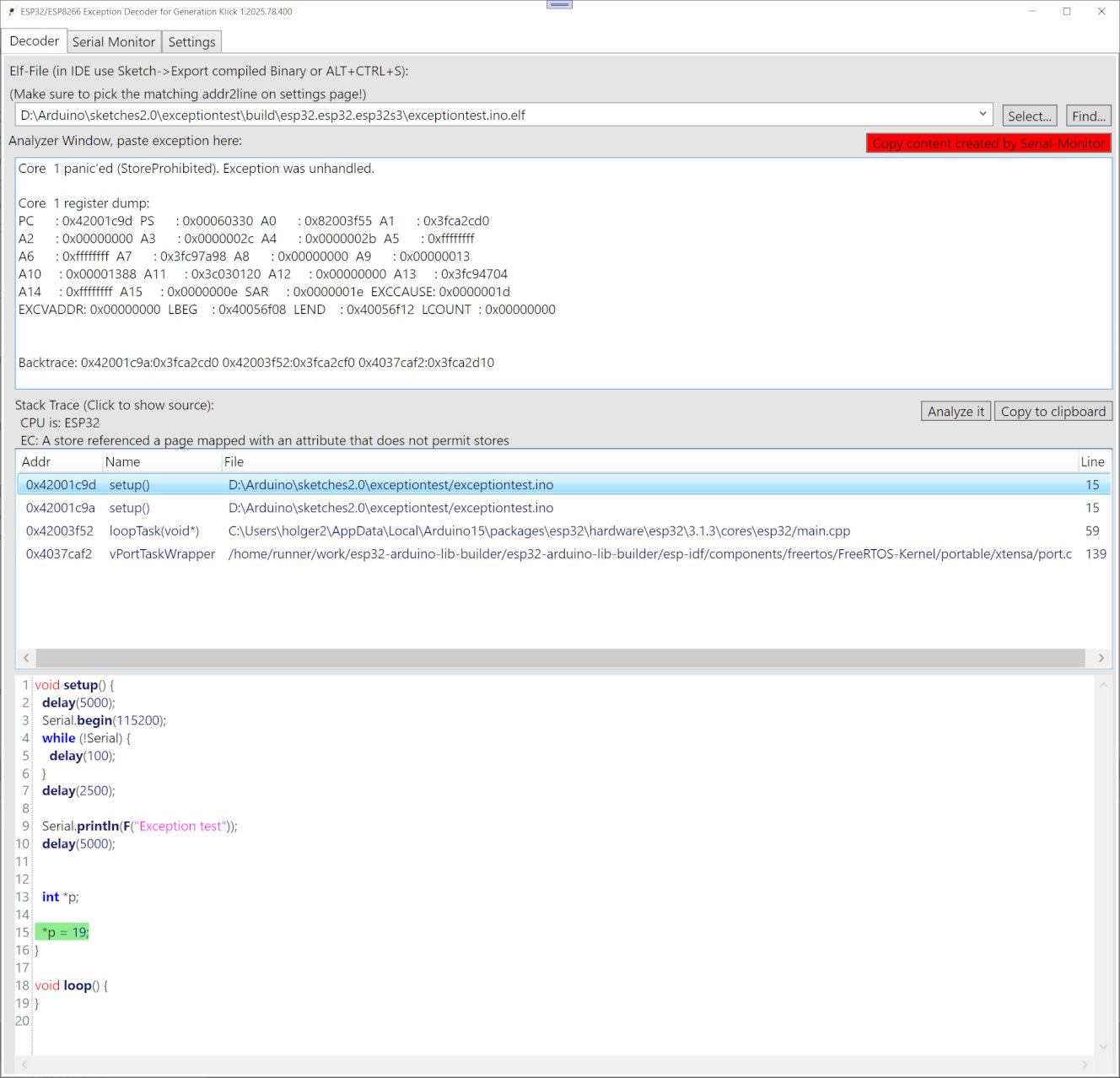
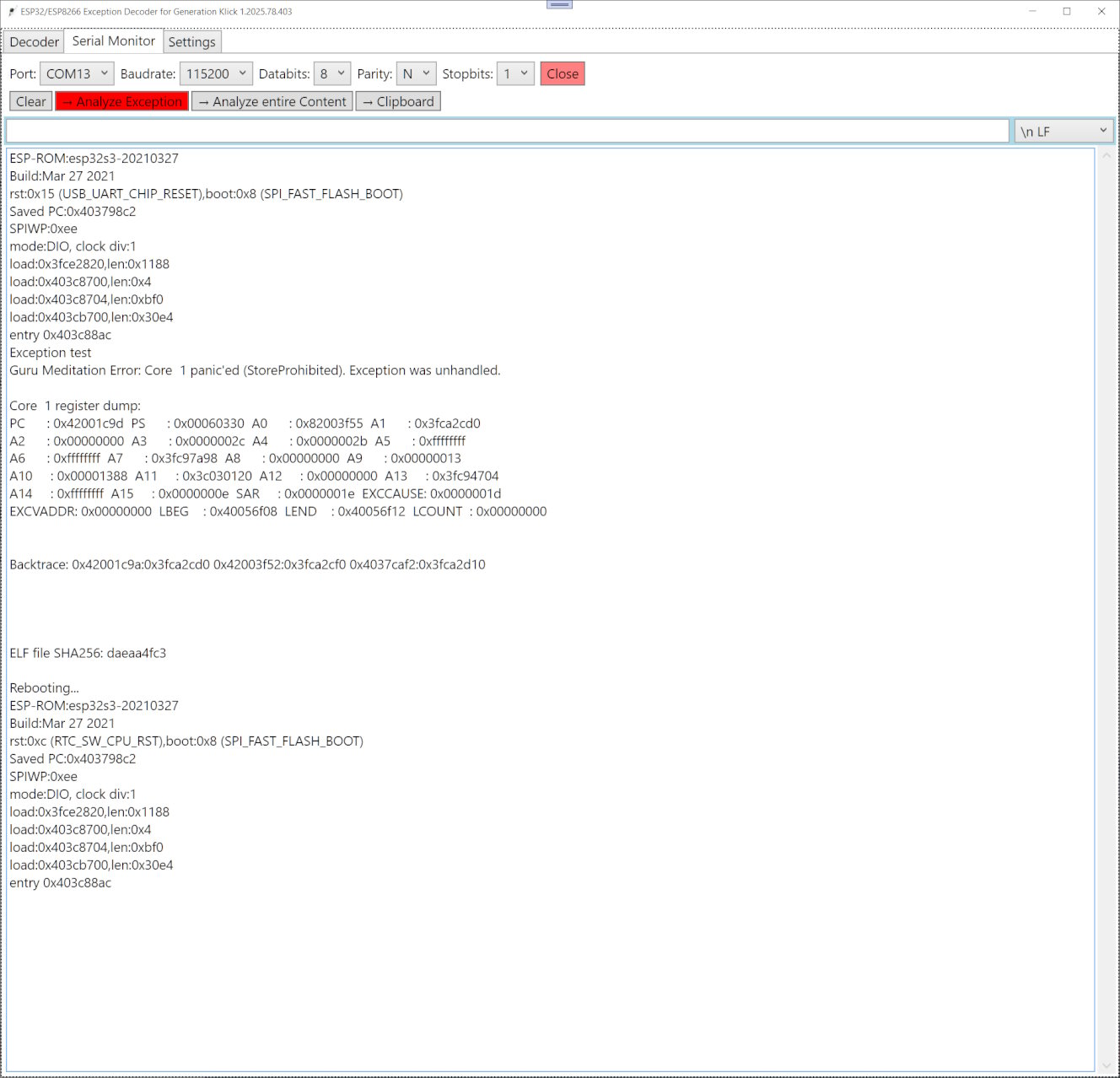
- Download https://github.com/holgerlembke/ESPEDfGK/raw/master/release/files.zip
- Unzip at a convenient place.
- Use.
- Ctrl+Scrollwheel to control UI sizing
- Close the Arduino IDE serial monitor!
- at least .NET 6.0 is needed
- https://dotnet.microsoft.com/en-us/download