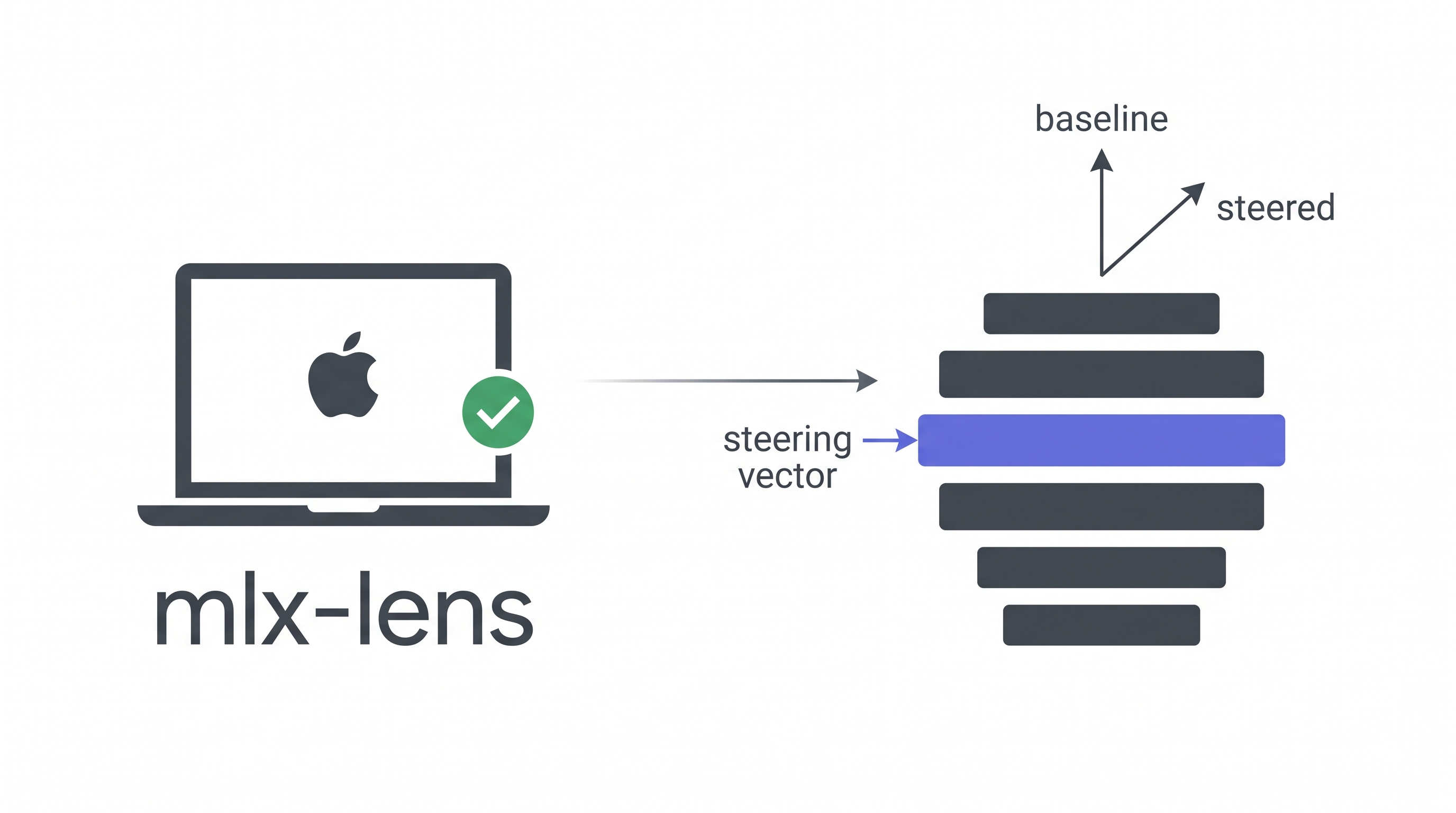
Steering vectors · Residual capture · SAE analysis
No CUDA. No cloud GPU. Just your Mac.


Install · Quickstart · API · SAE · Why mlx-lens
Tools like TransformerLens and vLLM-Lens let you steer LLMs and inspect their internals, but they require CUDA GPUs. If you're on a Mac, you're locked out.
mlx-lens brings the same capabilities to Apple Silicon via MLX. Load a model, inject a steering vector, and see how the output changes, all running locally on your MacBook or Mac Studio.
from mlx_lens import LensModel

lens = LensModel("mlx-community/gemma-3-27b-it-qat-4bit")

# Steer layer 16 and generate
with lens.steer(layer=16, vector=direction, scale=1000.0):
    print(lens.generate("What is money?", max_tokens=100))
# Steering is gone after the block, no side effects
Baseline (scale=0):
- Gold 2. US Treasury bill 3. US dollar cash 4. Bank deposit ...
Steered (scale=1500):
- US Treasury Bill, backed by the full faith and credit of the US government, making it virtually risk-free. 2. Gold, historically very stable ...
Same model, same prompt. The steering vector shifts how the model ranks monetary instruments.
Requires macOS with Apple Silicon (M1+) and Python ≥ 3.11.
# With uv (recommended)
uv add mlx-lens

# With pip
pip install mlx-lens

# With vllm-mlx engine (batch generation, prefix caching)
pip install "mlx-lens[engine]"from mlx_lens import LensModel
import mlx.core as mx
lens = LensModel("mlx-community/gemma-3-1b-it-4bit")
# Any unit vector in the model's residual stream space
vec = mx.random.normal((lens.d_model,))
vec = vec / mx.linalg.norm(vec)
# Baseline loss
loss_0 = lens.loss("The capital of France is Paris")
# Steered loss: higher scale = stronger intervention
with lens.steer(layer=8, vector=vec, scale=500.0):
loss_s = lens.loss("The capital of France is Paris")
print(f"Δ loss = {loss_s - loss_0:+.4f}")tokens = lens.tokenizer.encode("Hello world")
with lens.capture(layers=[0, 16]) as cap:
lens.forward(tokens)
print(cap[0].shape) # (1, seq_len, d_model)
print(cap[16].shape) # (1, seq_len, d_model)with lens.steer(layer=16, vector=vec, scale=1000.0):
with lens.capture(layers=[16]) as cap:
lens.forward(tokens)
steered_residual = cap[16] # includes the steering effect# pip install "mlx-lens[engine]"
lens = LensModel("mlx-community/gemma-3-27b-it-qat-4bit")
# Generate multiple prompts in one call
responses = lens.generate_batch(
["What is money?", "What is gold?"],
max_tokens=200, temperature=0.0,
)
# Steering works with batch generation too
with lens.steer(layer=16, vector=direction, scale=1000.0):
steered = lens.generate_batch(["What is money?"], max_tokens=200)Wraps any mlx-lm compatible model. Optionally backed by vllm-mlx for batch generation with prefix caching.
| Property | Description |
|---|---|
lens.d_model |
Hidden size (e.g. 5376 for Gemma 3 27B) |
lens.n_layers |
Number of decoder layers |
lens.model |
The underlying MLX model |
lens.tokenizer |
The tokenizer |
lens.engine |
vllm-mlx EngineCore (lazy-initialized) |
| Method | Description |
|---|---|
lens.steer(layer, vector, scale) |
Context manager. Injects a steering vector |
lens.capture(layers) |
Context manager. Records residual stream activations |
lens.loss(tokens) |
Mean next-token cross-entropy |
lens.generate(prompt, **kwargs) |
Text generation (respects active steering) |
lens.generate_batch(prompts, **kwargs) |
Batch generation via vllm-mlx engine |
lens.forward(tokens) |
Raw forward pass, returns logits |
lens.close() |
Release engine resources |
Load GemmaScope Sparse Autoencoders to decompose residual streams into interpretable features.
from mlx_lens import JumpReLUSAE

# From a local safetensors file
sae = JumpReLUSAE.from_pretrained("path/to/params.safetensors")

# Or download from HuggingFace
sae = JumpReLUSAE.from_gemma_scope(
    model_id="google/gemma-scope-2-27b-it",
    layer=16, width="16k",
)

# Encode residual stream into sparse features
acts = sae.encode(residual)          # (*, d_sae) sparse activations
recon = sae.decode(acts)             # (*, d_model) reconstruction

# Get unit decoder directions for steering
directions = sae.directions([42, 710, 1024]) # (3, d_model)| TransformerLens | vLLM-Lens | mlx-lens | |
|---|---|---|---|
| Backend | PyTorch (CUDA) | vLLM (CUDA) | MLX (Apple Silicon) |
| GPU required | NVIDIA | NVIDIA | None (runs on Mac) |
| 27B model | ~80GB VRAM | ~54GB VRAM | ~17GB 4-bit / ~54GB bf16 |
| Steering vectors | ✓ | ✓ | ✓ |
| Residual capture | ✓ | ✓ | ✓ |
| SAE integration | Via SAELens | Manual | Built-in |
| Install | pip install |
Plugin system | pip install mlx-lens |
We ran the same steering experiments on both CUDA GPUs and mlx-lens (M-series Mac). The optimal steering scales correlate at r = 0.88 with a mean ratio of 1.01×. The results are reproducible across platforms.
On Apple M5 Max (128GB unified memory), Gemma 3 27B-IT bf16:
| Operation | Time |
|---|---|
| Model load | ~60s |
| Forward pass (32 tokens) | ~2.5s |
| Generate (300 tokens) | ~60s |
| Scale search (binary, 1 feature) | ~20s |
See examples/ for complete, runnable scripts:
basic_steering.py: steer, measure loss, generatesae_analysis.py: capture residuals, SAE feature decompositionscale_search.py: find the optimal steering scale
mlx-lens uses layer replacement to intervene on the residual stream. When you call lens.steer(), the target decoder layer is temporarily wrapped with a proxy that adds scale × vector to its output. No hooks needed. MLX models store layers as plain Python lists, making replacement trivial.
Input → [Layer 0] → ... → [Layer 15] → [SteeredLayer 16] → [Layer 17] → ... → Output
                                              ↑
                                    out = original(x) + scale × vector
The context manager pattern ensures the original layer is always restored, even if an exception occurs.
mlx-lens is inspired by vLLM-Lens (UK AI Safety Institute), which pioneered the steering vector plugin approach for vLLM. We ported the core concepts (layer intervention, residual capture, and steering injection) to Apple Silicon via MLX.
If you use mlx-lens in your research:
@software{mlx-lens,
  title  = {mlx-lens: Mechanistic Interpretability on Apple Silicon},
  author = {Wu, Wenbin},
  institution = {Cambridge Centre for Alternative Finance},
  year   = {2026},
  url    = {https://github.com/dthinkr/mlx-lens},
}MIT