Master your landings. XTouchDownRecorder is a comprehensive flight data recorder designed specifically to analyze aircraft touchdown performance. Whether you are a casual simmer or training for realism, get immediate feedback on your landing rate, G-force, and pitch.



Don't just guess how your landing went—know exactly what happened.
- 📊 Precise Metrics: Instantly view Landing Rate (FPM), Pitch angle, and G-Force upon touchdown.
- 📉 Deep Analysis: tracks Max FPM, Max Pitch, and Peak G-Force surrounding the landing event.
- 🦘 Bounce Detection: accurately records "Touch ground times" to detect bounced landings.
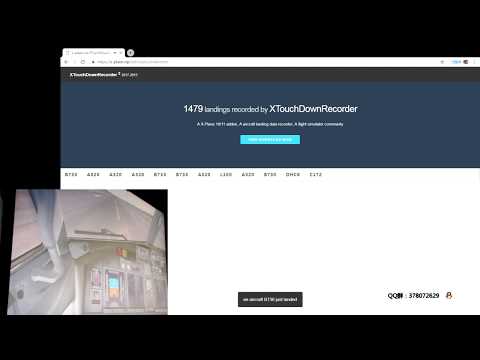
- ☁️ Cloud Community: Automatically sync your landings to the XTouchDownRecorder Community to compare with others.
- 💾 Auto-Logging: Every landing is saved locally to
TouchDownRecorderLog.txtfor your records. - 👓 VR Ready: Fully optimized for Virtual Reality users.
- ⚡ Instant Feedback: The analysis chart automatically pops up after landing (configurable via button/key assignment).
- 🍎 lowest supported version 11.0
- 👓 SkunkCraftsUpdater: Support update via SkunkCraftsUpdater.

Join a new world of flight tracking. Upload your stats, compete with other pilots, and track your progress over time.
👍 Visit the XTouchDownRecorder Community
| Web Interface | VR Integration |
|---|---|
 |
 |
Getting started is easy. No complex installers required.
- Download the latest release.
- Unzip the package.
- Move the folder
XTouchDownRecorderinto your X-Plane plugins directory:X-Plane 11\Resources\plugins\ - Launch X-Plane.
- Verify installation by checking the X-Plane Plugins menu for XTouchDownRecorder.
To view your landing data on demand or toggle the window, you must assign a key or button in X-Plane.
Assignment Path:
cpuwolf -> XTouchDownRecorder -> Toggle TouchDownRecorder Chart
X-Plane 11

X-Plane 10

Visualize your performance with detailed charts. Analyze your flare, touchdown point, and rollout stability.

Screenshots:


If you enjoy this tool and it helps you become a better pilot, consider supporting the development!
- Support via Patreon: patreon.com/cpuwolf
- Donate via PayPal: paypal.me/cpuwolf
- QQ Group: 378072629