An intelligent, AI-powered SaaS platform that enhances productivity through content generation, image creation, and smart AI-driven tools — built with a modern, scalable tech stack.




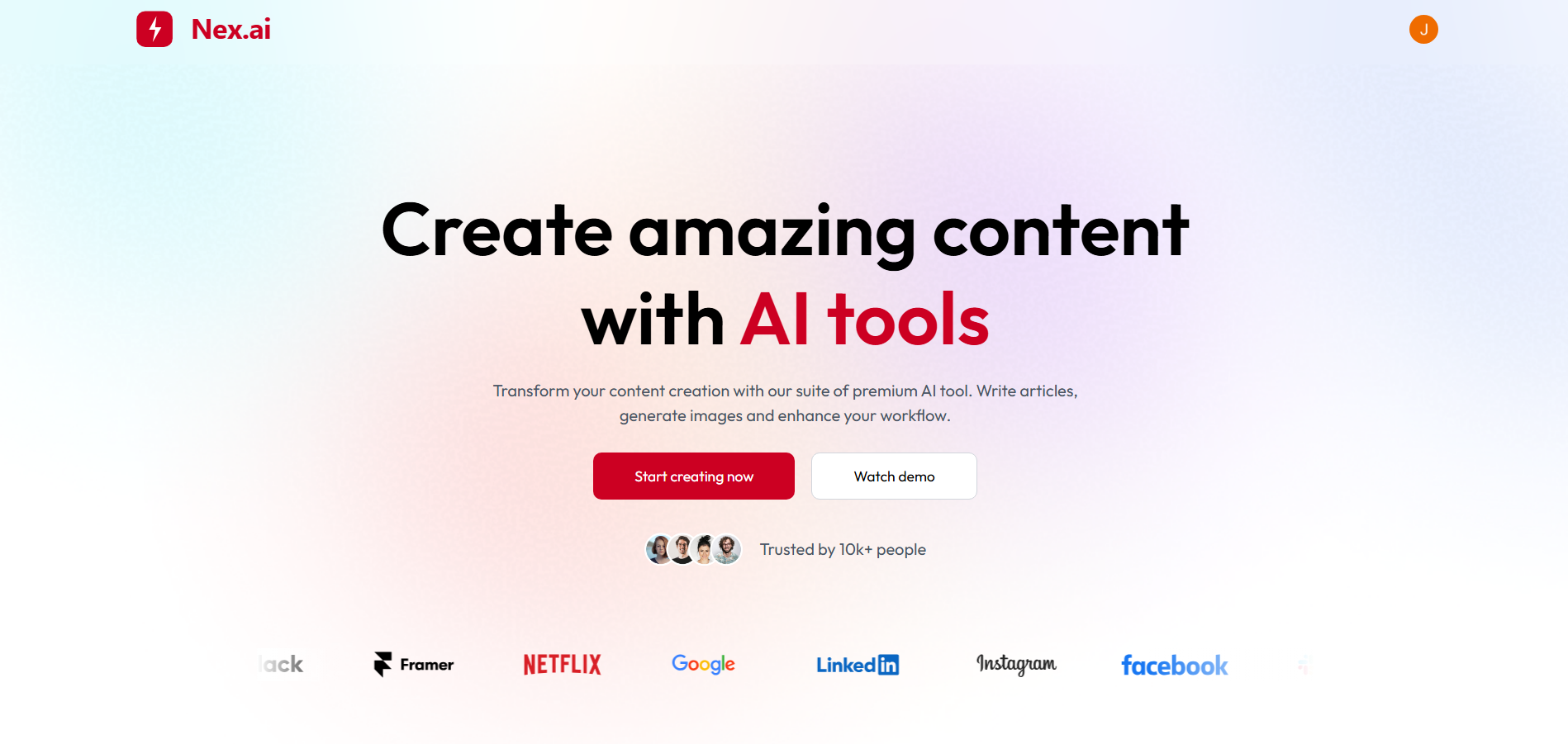
🔗 Live Demo: https://nexai-saas.vercel.app/
- Features
- Tech Stack
- Project Structure
- Authentication
- Database
- API Reference
- Environment Variables
- Getting Started
- Contributing
| Feature | Description |
|---|---|
| 🔐 Authentication | Secure sign-in with Clerk — email, social login, session management, and protected routes |
| ✍️ AI Article Writer | Generate full-length articles from prompts using AI (Gemini) |
| 🏷️ Blog Title Generator | Get creative, SEO-friendly title suggestions for your posts |
| 🖼️ AI Image Generation | Create images from text prompts with AI |
| 🧽 Background Removal | Remove image backgrounds instantly (ClipDrop) |
| ✂️ Object Removal | Erase unwanted objects from images (ClipDrop) |
| 📊 User Dashboard | Track creation history, usage, and manage your content |
| 🆓 Plans | Free and Premium tiers with usage limits |
| 🌐 Community | Share and explore creations from other users |
| Technology | Purpose |
|---|---|
| React 19 | UI library |
| Vite 7 | Build tool & dev server |
| React Router 7 | Client-side routing |
| Tailwind CSS 4 | Styling |
| Clerk (React) | Authentication UI & hooks |
| Axios | HTTP client |
| React Hot Toast | Notifications |
| React Markdown | Render markdown (e.g. articles) |
| Lucide React | Icons |
| Technology | Purpose |
|---|---|
| Node.js | Runtime |
| Express 5 | Web framework |
| Clerk (Express) | Auth middleware & user verification |
| Neon | Serverless PostgreSQL |
| Cloudinary | Image upload & storage |
| Multer | File upload handling |
| dotenv | Environment config |
| Service | Use Case |
|---|---|
| Clerk | Authentication & user management |
| Gemini API | Article writing, blog titles |
| ClipDrop | Background removal, object removal |
| Cloudinary | Image storage & delivery |
AI-Content-Image-Generation/
├── client/                 # Frontend (React + Vite)
│   ├── src/
│   │   ├── components/     # Reusable UI (NavBar, Sidebar, Hero, etc.)
│   │   ├── pages/          # Route pages (Home, Dashboard, WriteArticle, etc.)
│   │   ├── assets/         # Static assets
│   │   ├── App.jsx
│   │   └── main.jsx
│   ├── index.html
│   ├── vite.config.js
│   └── package.json
│
├── server/                 # Backend (Node + Express)
│   ├── configs/            # DB, Cloudinary, Multer
│   ├── controllers/        # aiController, userController
│   ├── middlewares/        # auth
│   ├── routes/              # aiRoutes, userRoutes
│   ├── server.js
│   └── package.json
│
└── README.md
| Path | Page | Description |
|---|---|---|
/ |
Home | Landing page |
/ai |
Layout | Main app shell (sidebar + content) |
/ai (index) |
Dashboard | Overview & quick access to tools |
/ai/write-article |
Write Article | AI article generation |
/ai/blog-titles |
Blog Titles | AI blog title suggestions |
/ai/generate-images |
Generate Images | Text-to-image generation |
/ai/remove-background |
Remove Background | Background removal tool |
/ai/remove-object |
Remove Object | Object removal from images |
/ai/community |
Community | Shared creations feed |
- Provider: Clerk
- Features: Email/password and social logins, session management, protected API routes
- Access control: Plan-based (Free / Premium) — enforced on backend for AI and usage limits
PostgreSQL hosted on Neon with a serverless driver.
| Table / Concept | Description |
|---|---|
| Users | User profiles and auth-related data |
| Creations | Stored articles, titles, and generated images |
| Usage Limits | Tracks consumption per user/plan |
| Subscriptions | Plan details and billing information |
All listed routes require authentication (Clerk session).
| Method | Endpoint | Description |
|---|---|---|
POST |
/api/ai/generate-article |
Generate a full article from a prompt (body: prompt/content params) |
POST |
/api/ai/generate-blog-title |
Generate blog title suggestions (body: topic/context) |
POST |
/api/ai/generate-image |
Generate image from text prompt (body: prompt) |
POST |
/api/ai/remove-image-background |
Remove background from image (multipart/form-data, field: image) |
POST |
/api/ai/remove-image-object |
Remove object from image (multipart/form-data, field: image) |
User-related endpoints (profile, usage, creations) are under /api/user/ — see server/routes/userRoutes.js for details.
VITE_CLERK_PUBLISHABLE_KEY=your_clerk_publishable_key
VITE_BASE_URL=http://localhost:3000| Variable | Description |
|---|---|
VITE_CLERK_PUBLISHABLE_KEY |
Clerk publishable key for frontend auth |
VITE_BASE_URL |
Backend base URL (e.g. http://localhost:3000) |
PORT=3000

# Database (Neon)
DATABASE_URL=your_neon_postgresql_connection_string

# Clerk
CLERK_SECRET_KEY=your_clerk_secret_key

# Gemini (articles & blog titles)
GEMINI_API_KEY=your_gemini_api_key

# ClipDrop (background & object removal)
CLIPDROP_API_KEY=your_clipdrop_api_key

# Cloudinary (image storage)
CLOUDINARY_CLOUD_NAME=your_cloudinary_cloud_name
CLOUDINARY_API_KEY=your_cloudinary_api_key
CLOUDINARY_API_SECRET=your_cloudinary_api_secret| Variable | Description |
|---|---|
PORT |
Server port (default 3000) |
DATABASE_URL |
Neon PostgreSQL connection string |
CLERK_SECRET_KEY |
Clerk secret key for backend verification |
GEMINI_API_KEY |
Google Gemini API key |
CLIPDROP_API_KEY |
ClipDrop API key |
CLOUDINARY_* |
Cloudinary credentials for uploads |
- Node.js ≥ 16
- npm or yarn
- PostgreSQL (e.g. Neon free tier)
- API keys: Clerk, Gemini, ClipDrop, Cloudinary
git clone https://github.com/cleanmind777/AI-Content-Image-Generation.git
cd AI-Content-Image-Generation# Frontend
cd client
npm install
# Backend (from repo root)
cd ../server
npm install- Create
client/.envandserver/.env - Copy the variables from Environment Variables and replace placeholders with your keys
Terminal 1 – Backend
cd server
npm run server
Backend: http://localhost:3000 (or the PORT you set).
Terminal 2 – Frontend
cd client
npm run dev
Frontend: http://localhost:5173
Open http://localhost:5173 in your browser.
# Frontend
cd client
npm run build
npm run preview # preview production build locallyContributions, issues, and feature ideas are welcome.
- Fork the repo
- Create a branch:
git checkout -b feature/your-feature - Commit:
git commit -m 'Add your feature' - Push:
git push origin feature/your-feature - Open a Pull Request
Please keep tests and code style consistent with the project.
If this project helped you, consider giving it a ⭐ on GitHub.
Made with 💙 by Clean Mind