You signed in with another tab or window. Reload to refresh your session.You signed out in another tab or window. Reload to refresh your session.You switched accounts on another tab or window. Reload to refresh your session.Dismiss alert
I know of one company that, in the late 80s, wrote a killer app. It was very popular, and lots of professionals bought and used it. But then the release cycles began to stretch. Bugs were not repaired from one release to the next. Load times grew and crashes increased. I remember the day I shut the product down in frustration and never used it again. The company went out of business a short time after that.
They had rushed the product to market and had made a huge mess in the code. As they added more and more features, the code got worse and worse until they simply could not manage it any longer. It was the bad code that bought the company down.
The Total Cost of Owning a Mess
If you have been a programmer for longer than two or three years, you have probably been slowed down by messy code. The degree of the slowdown can be significant. Over the span of a year or two, teams that were moving very fast at the beginning of a project can find themselves moving at a snail's pace. Every change they make to the code breaks two or three other parts of the code. No change is trivial. Every addition or modification to the system requires that the tangles, twists, and knots be "understood" so that more tangles, twists, and knots can be added. Over time the mess becomes so big and so deep and so tall, they can not clean it up. There is no way at all.
What is Clean Code?
Clean code should be:
simple and easy to read and understand
easy for other developers to make changes
easily maintainable and improvable
contains no unnecessary duplications.
Clean code always looks like it was written by someone who cares. There is nothing obvious that you can do to make it better.
Chapter 2: Meaningful Names
The name of a variable, function, or class, should answer all the big questions. It should tell you why it exists, what it does, and how it is used.
Names should:
reveal intention
reveal information
make meaningful distinction
be pronounceable
be searchable
Class Names
Should have noun or noun phrase names like Customer, WikiPage, Account...
Method Names
Should have verb or verb phrase names like postPayment, deletePage, or save...
Pick One Word per Concept
It's confusing to have fetch, retrieve, and get as equivalent methods of different classes.
Likewise, it's confusing to have a controller, manager, and a driver in the same codebase.
Chapter 3: Functions
Functions should:
Be small.
Functions should hardly ever be 20 lines long.
Blocks and Indenting
Blocks within if statements, else statements, while statement, and so on should be one line long. Probably that line should be a function call. Not only does this keep the enclosing function small, but it also adds documentary value because the function called within the block can have a nice descriptive name.
This implies that functions should not be large enough to hold nested structures. Therefore, the indent level of a function should not be greater than one or two.
Do one thing and do it well
Functions should either do something or answer something, but not both. Either your function should change the state of an object, or it should return some information about that object.
There should be no side effects. Meaning it should not be doing unexpected, hidden things.
Have one level of abstraction per function
Follow the Top to Bottom, Stepdown Rule
We want every function to be followed by those at the next level of abstraction so that we can read the program, descending one level of abstraction at a time as we read down the list of functions.
Function Arguments
The ideal number of arguments for a function is zero (niladic). Next comes one (monadic), followed closely by two (dyadic). Three arguments (triadic) should be avoided where possible. More than three (polyadic) requires very special justification - and then shouldn't be used anyway ... Greater number of arguments are even harder from a testing point of view.
Common Monadic Forms
You may be asking a question about that argument, as in boolean fileExists("MyFile")
You may be operating on that argument, transforming it into something else and returning it.
You may be processing an event, there is an input argument but no output argument. The function call should use the argument to alter the state of the system.
Avoid Flag Arguments, passing a boolean into a function is a truly terrible practice.
Dyadic Functions
A function with two arguments is harder to understand than a monadic function. Even obvious dyadic functions like assertEquals(expected, actual) are problematic. The expected, actual ordering is a convention that requires practice to learn.
There are times where two arguments are appropriate. For example, Point p = new Point(0,0); However, two arguments in this case are ordered components of a single value.
Take advantage of what mechanisms may be available to you to convert them into monads.
Triadic Functions
Functions that take three arguments are significantly harder to understand than dyads. The issues of ordering, pausing, and ignoring are more than doubled. I suggest you think very carefully before creating a triad.
Argument Objects
When a function seems to need more than 2 or 3 arguments, it is likely that some of those arguments ought to be wrapped into a class of their own. Reducing the number of arguments by creating objects out of them may seem like cheating, but it's not. When groups of variables are passed together they are likely part of a concept that deserves a name of its own.
Output Arguments
Much of the need for output arguments disappears in OO languages because this is intended to act as an output argument. In general, output arguments should be avoided. If your function must change the state of something, have it change the state of its owning object.
Error Checking
Prefer exceptions to returning error codes.
If you use exceptions instead of returned error codes, then the error processing code can be separated from the happy path code and can be simplified.
Extract Try/Catch Blocks into functions of their own.
Try/catch blocks are ugly in their own right. They confuse the structure of the code and mix error processing with normal processing.
Chapter 4: Comments
You should write code so clearly and expressively that it does not need comments in the first place.
The proper use of comments is to compensate for our failure to express ourself in code. Comments are always failures in code.
The older a comment is, and the farther away it is from the code it describes, the more likely it is to be just plain wrong. The reason is simple. Programmers can't realistically maintain them. Code changes over time, comments don't always follow them - can't always follow them.
Good Comments
Legal Comments
For example, copyright and authorship statements are necessary and reasonable things to put into a comment at the start of each source file.
Explanation of intent behind a coding decision
Warning of Consequences
TODO Comments
Amplification
A comment may be used to amplify the importance of something that may otherwise seem inconsequential.
Bad Comments
Redundant comments along code that speaks for itself
Misleading Comments
A programmer makes a statement in his comments that isn't precise enough to be accurate.
Mandated Comments
It is just plain silly to have a rule that says that every function must have a javadoc, or every variable must have a comment. This just clutters up the code and leads to confusion and disorganization.
Attributions and Bylines
Source code control systems are very good at remembering who added what, when. There is no need to pollute the code with little bylines.
Commented-Out Code
Others who see that commented-out code won't have the courage to delete it. They'll think it is there for a reason and is too important to delete. So commented-out code gathers like dregs at the bottom of a bad bottle of wine.
Chapter 5: Formatting
You should take care that your code is nicely formatted. You should choose a set of simple rules that govern the format of your code, and then you should consistently apply those rules.
The functionality that you create today has a good chance of changing the next release, but the readability of your code will have a profound effect on all the changes that will ever be made.
Vertical Formatting
Small files are usually easier to understand than larger ones.
Stick with file length with a 500 line maximum.
Vertical Ordering
We want function call dependencies to point in the downward direction. That is, a function that is called should be below a function that does the calling. This creates a nice flow down the source code module from high level to low level.
Vertical Openness
Each blank line is a visual cue that identifies a new and separate concept.
Vertical Density
If openness separates concepts, then vertical density implies close association. So lines of code that are tightly related should appear vertically dense.
Vertical Distance
Variable Declarations
Should be declares as close to their usage as possible.
Instance Variables
Should be declared at the top of the class.
Horizontal Formatting
There should be an agreed upon limit on the maximum width of code in any given file. Typically, a line of code, shouldn't exceed that of a regular computer monitor.
Horizontal Openness and Density
Horizontal white space is used to associate things that are strongly related and disassociate things that are more weakly related.
Spaces between assignment operators to make a clear separation of the left and right side.
No spaces between function names and the opening parenthesis, as they are closely related.
Indentation
Highlights the hierarchy of scopes between parts of code, and it's position in that hierarchy.
Chapter 6: Objects and Data Structures
A class should not simply push its variables out through getters and setters. Rather it exposes abstract interfaces that allow its users to manipulate the essence of the data, without having to know its implementation.
Objects vs Data Structures
Objects and Data Structures are direct opposites. What's hard for Objects to do are easy for Data Structures and vice versa. Hybrid structures are half objects and half data structures. they bring in the worst of both worlds, and indicative of muddled design. Avoid hybrid structures.
Objects:
Hide their data behind abstractions and expose functions that operate on that data.
Makes it easy to add new classes without changing existing functions.
More appropriate when we want to add new types rather than new functions.
Data Structures:
Expose their data and have no meaningful functions.
Makes it easy to add new functions without changing existing data structures.
More appropriate when we want to add new functions as opposed to data types.
Law of Demeter: A module should not know about the innards of the objects it manipulates. Objects should not expose its internal structure through accessors.
Example of law violation (called train wreck):
final String outpurDir = ctxt.getOptions().getScratchDir().getAbsolutePath();
Data Transfer Objects
Class with public variables and no functions.
Useful structures, especially when communicating with databases or parsing mesages from sockets and so on. They often become the first in a series of translation stages that convert raw data in a database into objects in the application code.
bean form - private variables manipulated by getters and setters.
Active Record
Special form of Data Transfer Objects.
Data structures with public variables, but typically have navigational methods like save and find.
Typically these Active Records are direct translations from database tables, or other data sources.
About
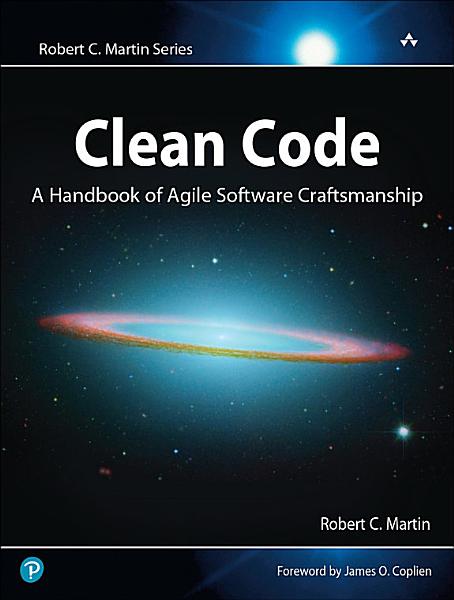
Notes on the book Clean Code by Robert C. Martin aka Uncle Bob