




LokArni is a powerful, locally-hosted fullstack web application for organizing, visualizing, and managing AI-related content. Centrally store, search, categorize, and efficiently reuse models (LoRAs, Checkpoints, VAEs), images, videos, and associated metadata.
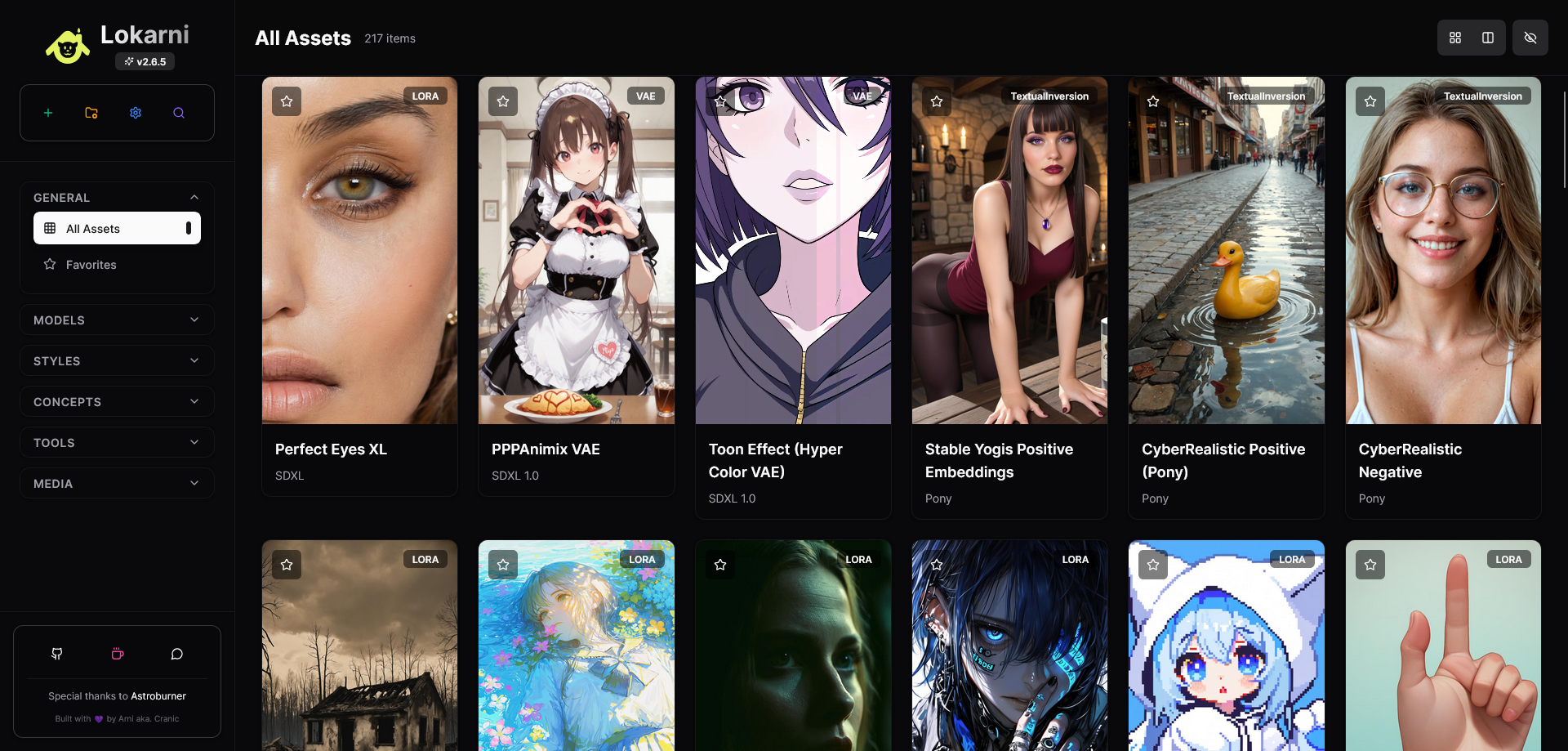
- Smart Organization: Dynamic categories and subcategories with drag-and-drop reordering
- Rich Media Support: Images, videos, and models with preview capabilities
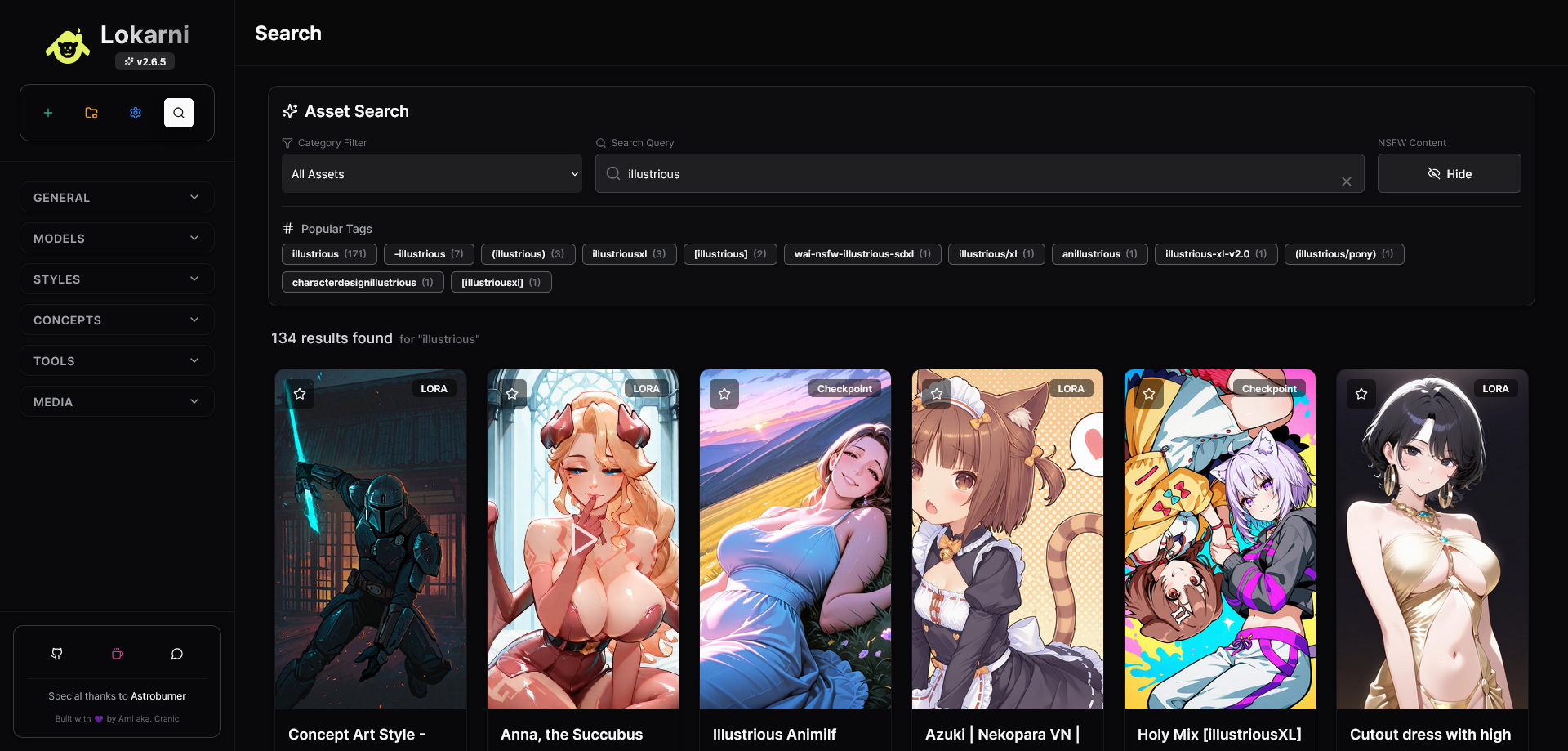
- Advanced Search: Full-text search with keyword suggestions and filters
- Favorites System: Mark and organize your most-used assets
- Linked Assets: Connect related assets as examples and showcases
- NSFW Filtering: Content filtering with granular control
- CivitAI Integration: Direct import from CivitAI URLs with metadata extraction
- CivitAI Search: Built-in search interface for discovering new models
- Image Metadata Extraction: Extract generation parameters from PNG files and CivitAI images
- Bulk Operations: Efficient handling of multiple assets
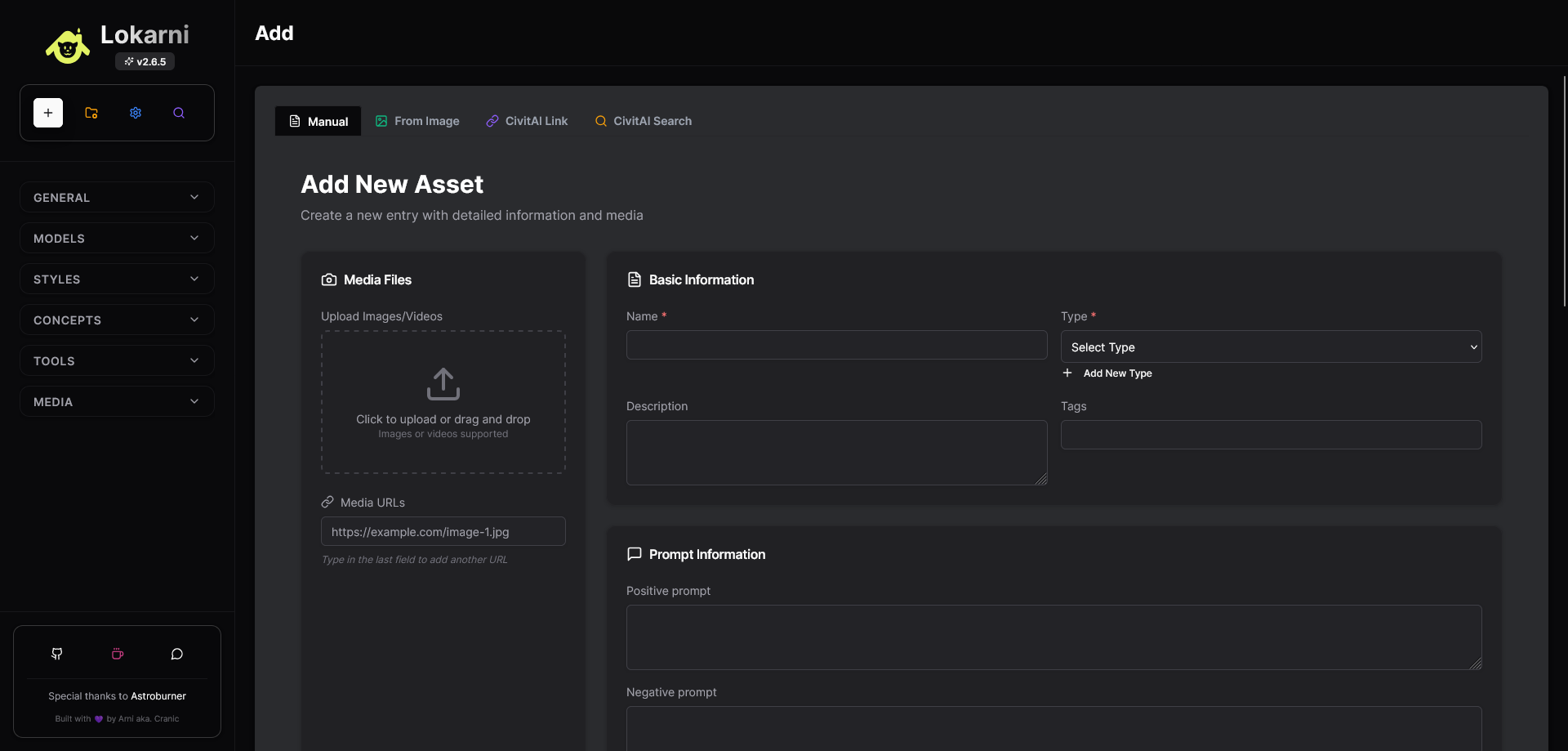
- Manual Entry: Comprehensive form for custom asset creation
- Multi-Layout Views: Grid and masonry layouts with responsive design
- Custom Metadata: Extensible custom fields for specialized data
- Asset Linking: Create relationships between related assets
- Pagination: Efficient handling of large asset collections
- Real-time Updates: Live updates across all views and components
- Dark Theme: Eye-friendly dark interface with glassmorphism effects
- Responsive Design: Works seamlessly on desktop, tablet, and mobile
- Interactive Components: Smooth animations and hover effects
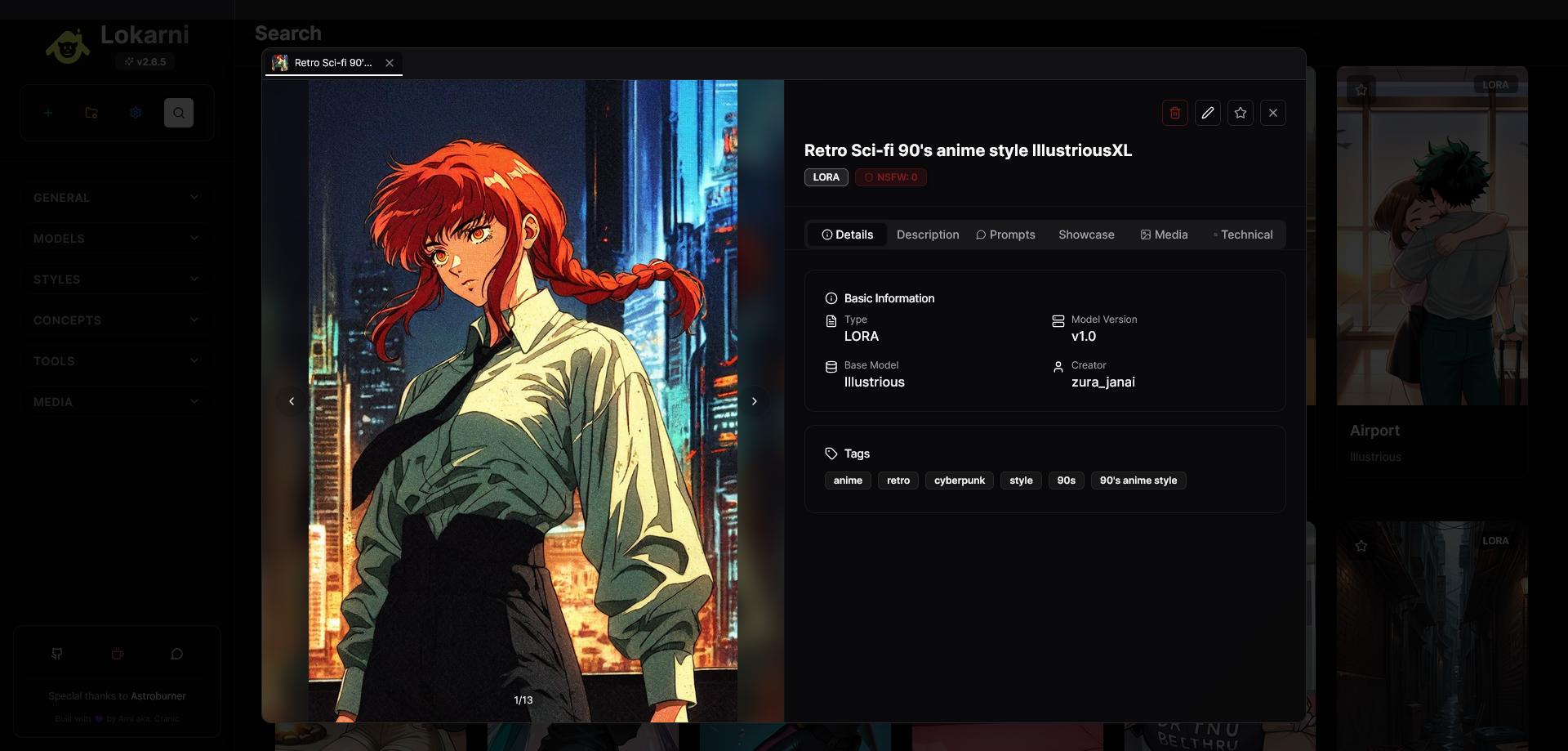
- Modal System: Detailed asset views with tabbed information
- Asset Tabs: Multi-asset viewing with browser-like tabs
- React 18.2 with modern hooks and context
- Vite for fast development and building
- TailwindCSS for responsive styling
- Framer Motion for smooth animations
- Lucide React for consistent iconography
- Radix UI components for accessibility
- FastAPI with async/await support
- SQLAlchemy ORM with Alembic migrations
- SQLite database for simplicity
- Pydantic for data validation
- PIL/Pillow for image processing
- Requests/HTTPX for external API integration
- Python 3.10 or higher
- Node.js 18+ with npm
- Git (optional, for cloning)
-
Clone or download the project
git clone <repository-url>
cd lokarni
-
First-time setup (Automatic)
Windows:
# Start backend (installs dependencies automatically)
Start_Backend.bat

# In a new terminal, start frontend
Start_Frontend.bat
Manual setup:
# Backend setup
python -m venv venv
source venv/bin/activate  # On Windows: venv\Scripts\activate
pip install -r requirements.txt

# Frontend setup
cd frontend
npm install
cd ..

# Start backend
python -m uvicorn backend.main:app --port 8000 --reload

# In new terminal, start frontend
cd frontend
npm run dev
-
Access the application
- Frontend: http://localhost:5173
- Backend API: http://localhost:8000
- API Documentation: http://localhost:8000/docs
- Windows: Run
start_lokarni.batto start both services - Manual: Start backend and frontend in separate terminals
- Add Your First Asset: Click the "Add" button in the sidebar
- Choose Import Method:
- Manual entry for custom assets
- CivitAI link for direct model import
- CivitAI search for discovery
- Image upload with metadata extraction
- Organize: Create custom categories and subcategories
- Search & Filter: Use the search function to find specific assets
- Paste any CivitAI model or image URL
- Automatically extracts metadata, images, and descriptions
- Optional API key for NSFW content access
- Bulk search and import capabilities
- Upload PNG files with embedded generation parameters
- Supports ComfyUI workflow extraction
- CivitAI image URL processing
- Automatic prompt and settings detection
- Custom forms for all asset types
- Rich text descriptions with HTML support
- Multiple media file uploads
- Flexible tagging system
- Categories: Main groupings (Models, Styles, Concepts, etc.)
- Subcategories: Detailed classifications with custom icons
- Tags: Flexible keyword system
- Favorites: Quick access to preferred assets
- Linked Assets: Connect related items as examples
LokArni supports a wide variety of AI-related content:
- Checkpoints: Full stable diffusion models
- LoRA: Low-rank adaptation models
- Textual Inversions: Embedding files
- VAE: Variational autoencoders
- ControlNet: Control models
- Hypernetworks: Legacy training method
- Generated Images: With full generation metadata
- Videos: MP4, WebM format support
- GIFs: Animated content
- Reference Images: Style and concept references
- Generation Parameters: Steps, CFG, samplers
- Prompts: Positive and negative prompts
- Trigger Words: Model activation keywords
- Used Resources: LoRAs, embeddings, etc.
- Custom Fields: Extensible metadata system
- Database: SQLite (configurable in
backend/database.py) - Storage: Local file system (
import/images/) - API Keys: CivitAI integration (optional)
- Categories: Fully customizable structure
- UI Themes: Dark theme with customizable colors
- Layout Options: Grid vs. masonry layouts
- Content Filtering: NSFW and type filtering
LokArni provides a comprehensive REST API:
GET /api/assets- List all assetsPOST /api/assets- Create new assetGET /api/assets/{id}- Get specific assetPATCH /api/assets/{id}- Update assetDELETE /api/assets/{id}- Delete assetGET /api/assets/search- Search assetsGET /api/categories- List categoriesPOST /api/import/from-civitai- Import from CivitAI
GET /api/assets/keywords- Get popular tagsPOST /api/image/extract-metadata/- Extract image metadataPOST /api/upload-image- Upload media files
Full API documentation available at /docs when running.
LokArni uses Alembic for database schema management:
# Create new migration
alembic revision --autogenerate -m "Description"

# Apply migrations
alembic upgrade head- Export: Use the settings menu for data export options
- Backup: Copy the
loklarni.dbfile andimport/folder - Restore: Replace database and media files with backups
- Local-First: All data stays on your machine
- No Telemetry: No data collection or tracking
- API Keys: Optional, stored locally only
- Content Filtering: Built-in NSFW filtering
- Access Control: Local network access only
We welcome contributions! Here's how to get involved:
- Fork the repository
- Create a feature branch
- Make your changes
- Test thoroughly
- Submit a pull request
- New import methods and integrations
- UI/UX improvements
- Performance optimizations
- Documentation and tutorials
- Bug fixes and testing
- Python: Follow PEP 8, use type hints
- JavaScript/React: ESLint configuration
- Git: Descriptive commit messages
- Documentation: Update relevant docs
Backend won't start:
- Check Python version (3.10+ required)
- Verify virtual environment activation
- Install dependencies:
pip install -r requirements.txt
Frontend issues:
- Ensure Node.js 18+ is installed
- Clear node_modules:
rm -rf node_modules && npm install - Check port conflicts (5173, 8000)
Import problems:
- Verify CivitAI URL format
- Check API key for NSFW content
- Ensure stable internet connection
Database errors:
- Run migrations:
alembic upgrade head - Check file permissions
- Consider database reset for major issues
- Performance improvements and bug fixes
- Enhanced image metadata extraction
- Improved CivitAI integration stability
- Major release with performance updates
- New asset linking system
- Enhanced search capabilities
- Improved UI/UX and usability
- Better responsive design
- Performance optimizations
- Complete rewrite with modern stack
- New React-based frontend
- Enhanced FastAPI backend
Creative Commons Attribution-NonCommercial 4.0 International (CC BY-NC 4.0)
You are free to:
- Share — copy and redistribute the material
- Adapt — remix, transform, and build upon the material
Under the following terms:
- Attribution — Give appropriate credit and indicate changes
- NonCommercial — No commercial use without permission
For commercial use, please contact the author.
Full License: https://creativecommons.org/licenses/by-nc/4.0/
Arni (Pixel-Arni) - Project Creator & Lead Developer
- GitHub: @Pixel-Arni
- Support: Ko-fi | Patreon
Astroburner - Information Specialist & Development Consultant
- Specializes in AI creative workflows and technical documentation
- GitHub: @Astroburner
- CivitAI: Profile
- 📞 Discord: Join our community
- 🐛 Issues: Report bugs on GitHub
- 💡 Features: Request features via GitHub issues
If you find LokArni useful, consider supporting its development:
- ☕ Ko-fi: One-time donations
- 🔄 Patreon: Monthly support
- ⭐ GitHub: Star the repository
- 🗣️ Share: Tell others about LokArni
- 🎮 Twitch: Live development streams
- 📸 Instagram: @arni_cranic
- 🎵 TikTok: @cranic92
Built with 💜 by the community, for the community.
LokArni - Your personal AI asset management solution