This tool brings back settings options for legacy features present in all Windows versions however not accessible in latest Windows 11.
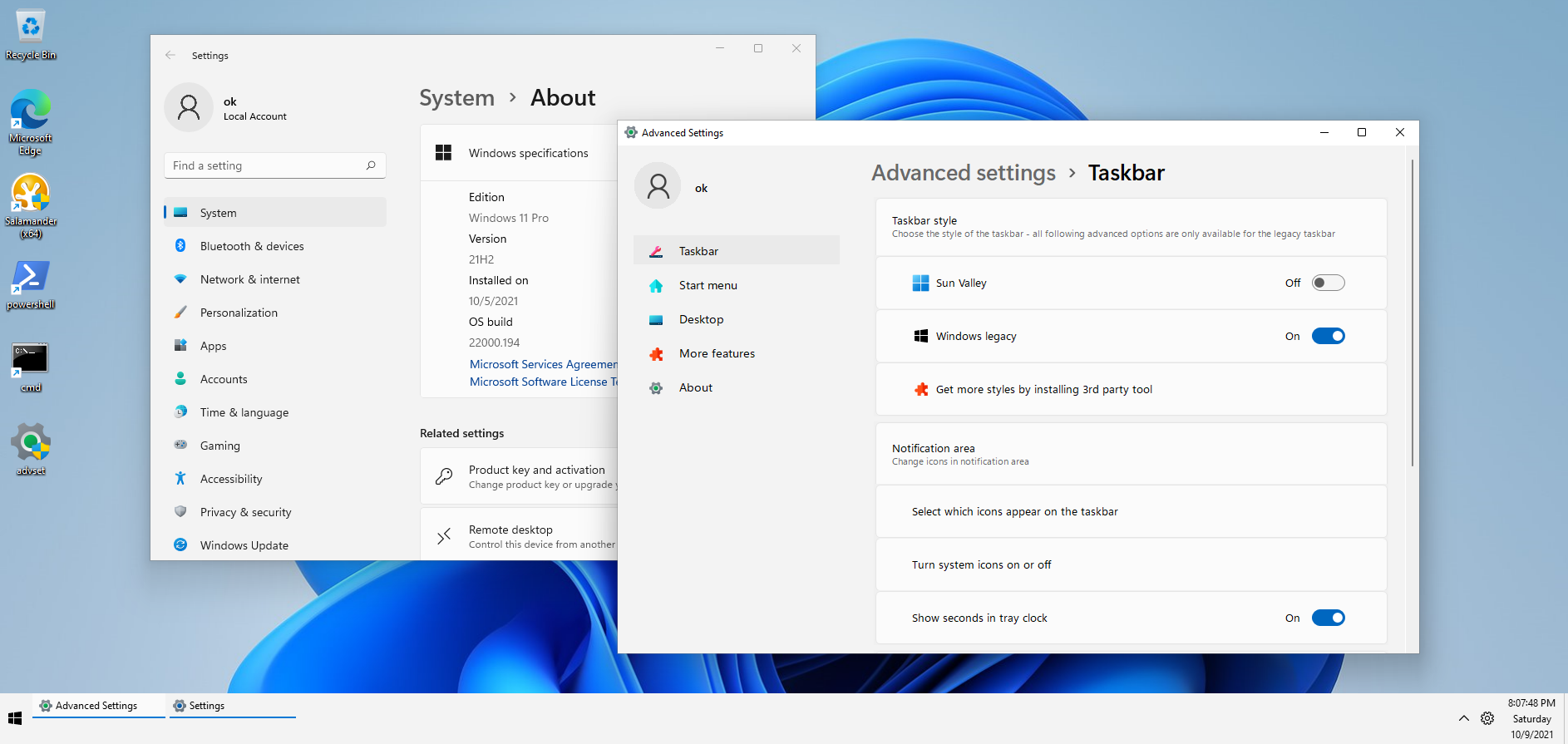
Grab the latest EXE release: https://github.com/KRtkovo-eu/Advanced-Settings-for-Windows/releases/latest
- Choose style (Sun Valley, Windows Legacy)
- Set position of taskbar for Sun Valley style (bottom, top)
- Set position of taskbar for Windows Legacy style (left, top, right, bottom)
- Turn on/off system icons on Legacy taskbar (clock, input language, volume, network, etc.)
- Set which tray icons will be shown on Legacy taskbar
- Legacy taskbar options for multiple displays
- Experimentally it could show Sun Valley Start menu in Legacy style
- Simple default web browser selection (thanks to Kolbicz)
- Offers list of 3rd party tools modifying Windows style or tweaking some other options
Simply create issue task with "feature request" label and provide all known informations (what the missing feature is, registry value to change etc.)
Ondřej Kotas, Brno, CZ
ok@krtkovo.eu
this project is open source published under GNU GPL v3 license