





Table of Contents
LabVIEW shortcut menu plug-In to insert LVClass Property Node (Read or Write) or display dialog to choose which property to create with which access (Read, Write, Read and Write).
- Download the Insert LVClass Property Node.vip.
- Use VIPM to install it on your LabVIEW version (2020+).
- From a VI Block Diagram
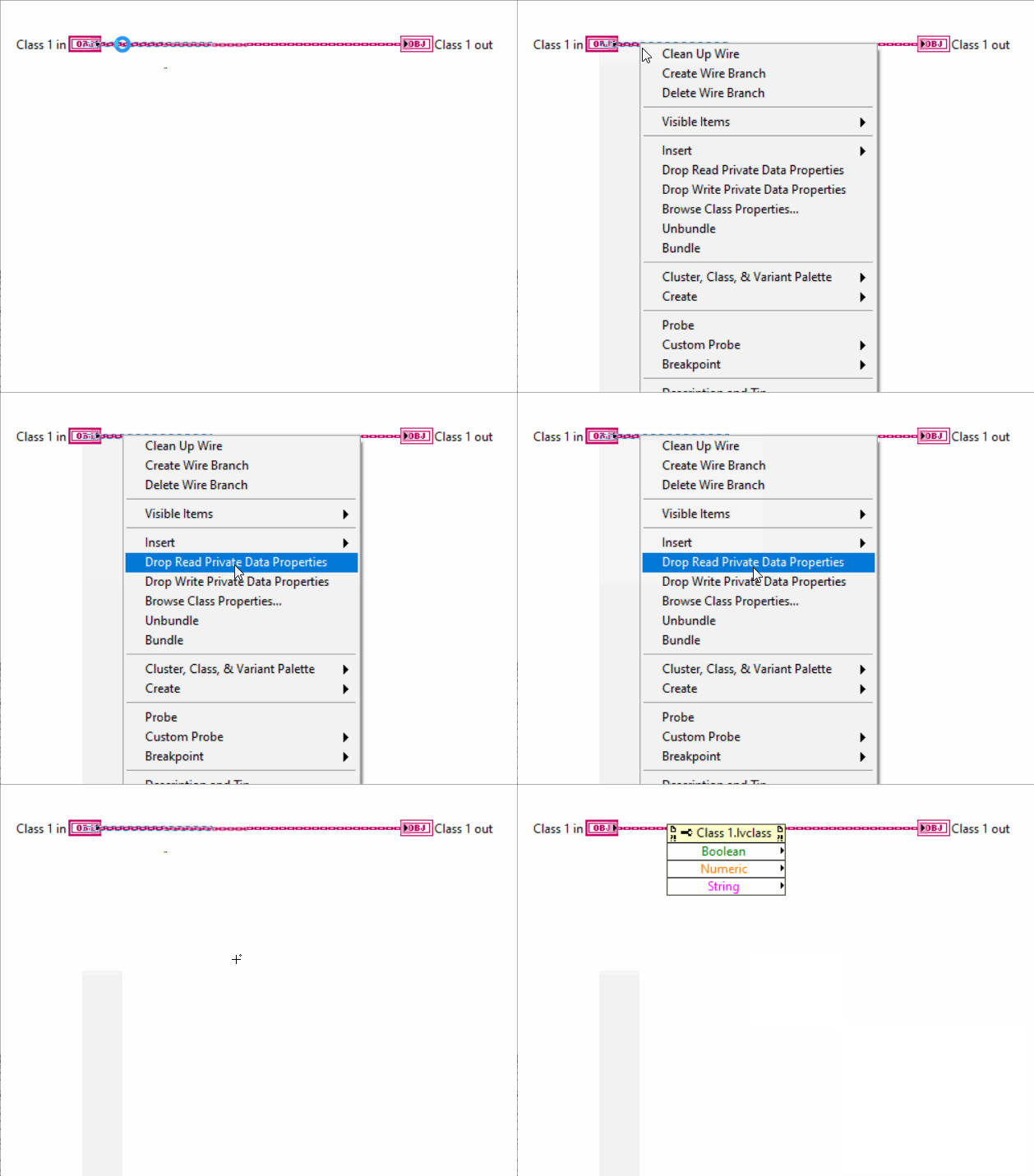
- Right-click on a class wire and select
- Drop Read Private Data Properties: this will create a property node with all readable LVClass Property Items
- Drop Write Private Data Properties: this will create a property node with all writable LVClass Property Items
- Browse Class Properties...: this will display a Class Properties Dialog
To know more about LabVIEW Shortcut Menu Plug-ins:
 Click here