
Native Android client for Trail — the self-hosted micro link journal for people who miss chronological feeds.
Kotlin, Jetpack Compose, Material 3. One activity, no fragments, no DI framework. Refreshingly simple for what it does.

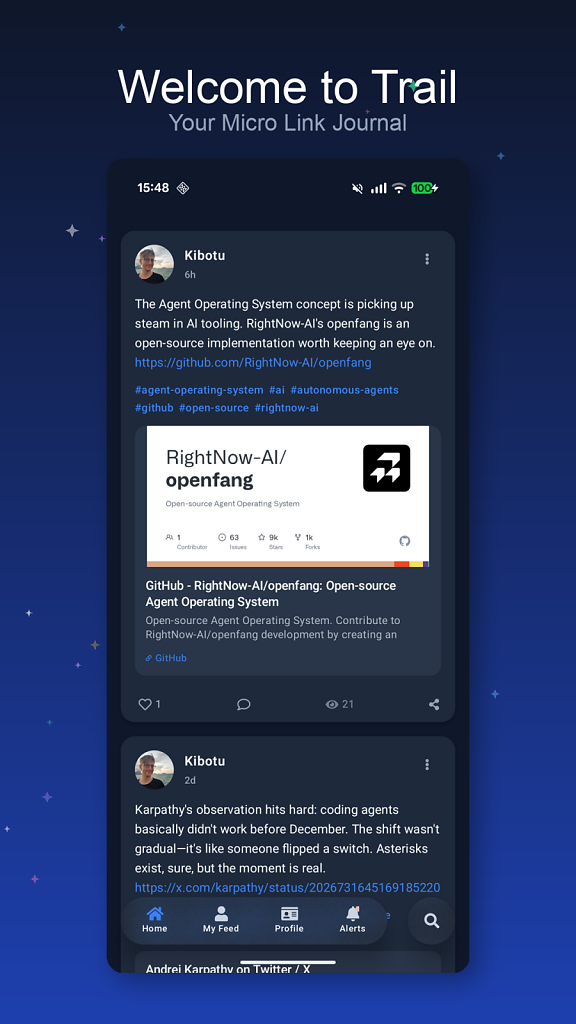
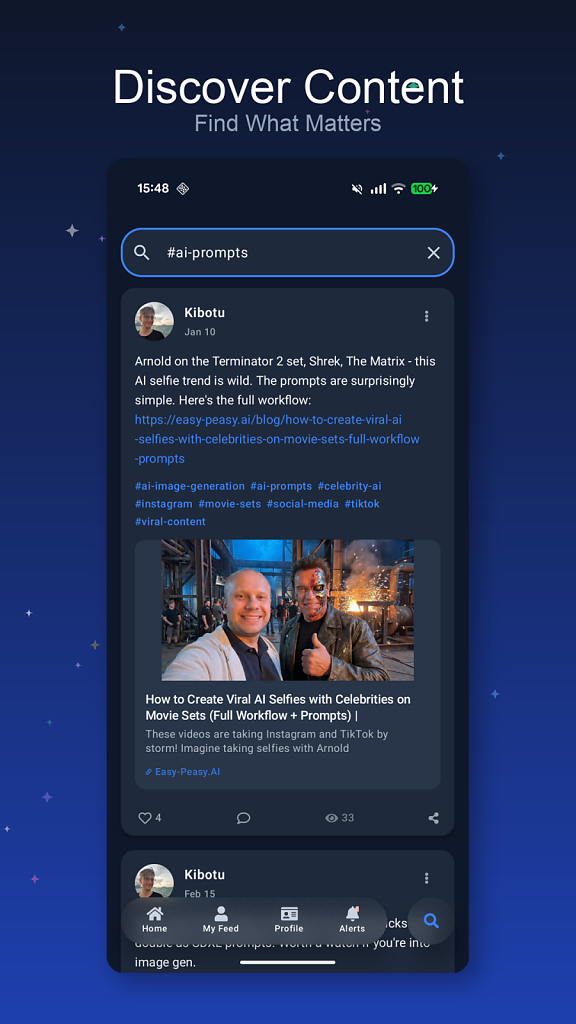
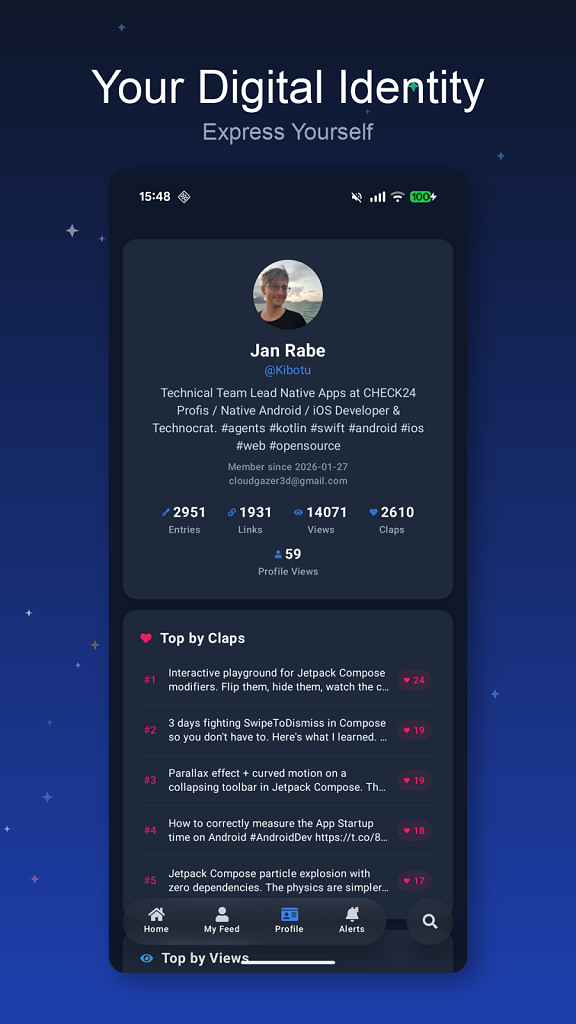
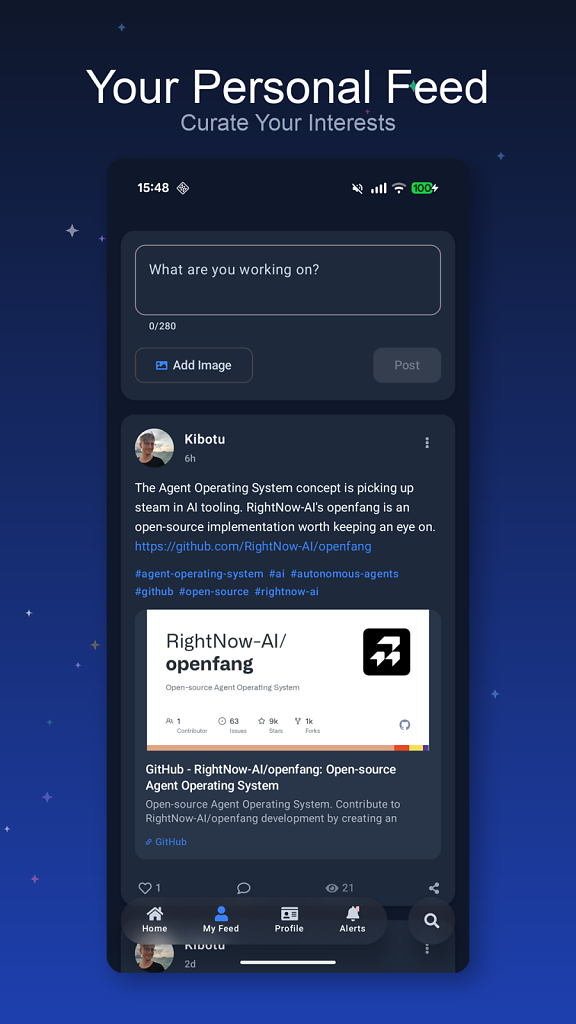

The killer feature. Select text in any app → Share → Trail. Done. Your link is posted with a URL preview card before you even switch apps. Works pre-login too — entries queue up until you authenticate. It's the fastest path from "I found something interesting" to "it's on my timeline."
- Images, GIFs, video — Full inline playback with Coil and ExoPlayer. One video plays at a time (because autoplay chaos is what we left behind).
- Fullscreen viewer — Pinch-to-zoom, double-tap zoom, pan, swipe-to-dismiss. The image viewing experience you'd expect from a native app.
- Chunked image upload — Pick up to 3 images/videos, compressed and uploaded in 512KB chunks with progress tracking. Your 15MB photo won't time out.
- URL preview cards — Paste a link, get a rich card with title, description, image, and site name. Powered by Iframely.
- Dual feeds — Global chronological timeline for everyone, personal
/@usernamefeed for just your stuff - Full-text search — Debounced search overlay with infinite scroll. Type, find, done.
- Tags — Browse and filter entries by tag
- Claps — 1-50 per entry or comment. Show appreciation with granularity.
- Threaded comments — With their own clap counts, media attachments, and reporting
- @mentions — Tag users, they get notified
- User profiles — Browse anyone's profile, see their stats, entries, and top posts
- User muting — Hide content from users you'd rather not see
- Content reporting — Flag entries and comments for review
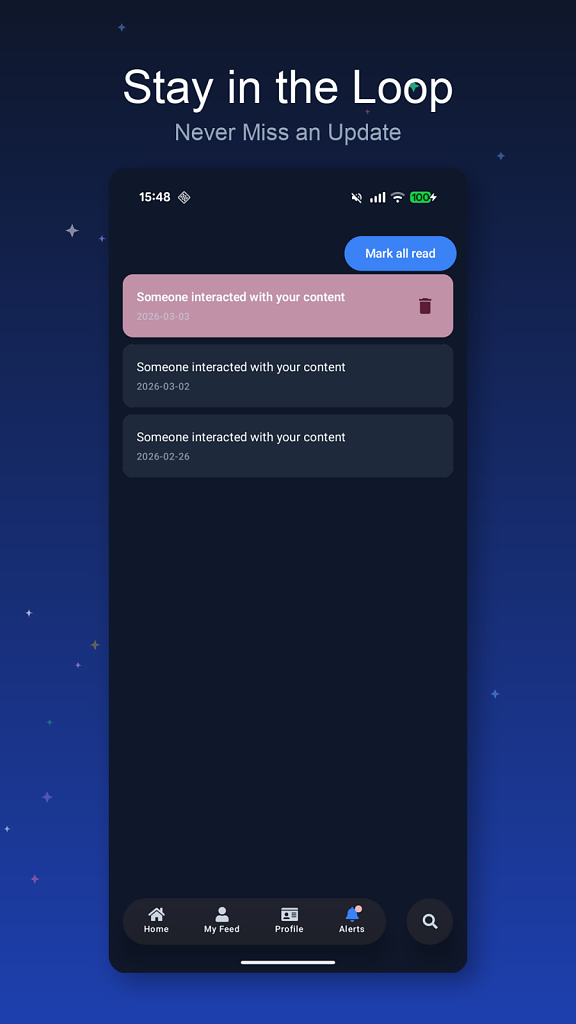
- In-app notifications — Mentions, claps, comments, all in one screen
- Unread badge — On the tab bar, so you know when something happened
- Mark read / delete — Manage individually or mark all read
- Data export — Download all your data as HTML. GDPR-compliant, human-readable.
- Account deletion — Request deletion with a grace period. Changed your mind? Revert it.
- Copy profile link — Share your
/@usernameURL anywhere
- Google Sign-In — Via Credential Manager API (the modern way). One tap, JWT issued, done.
- Auto-login — Tokens persisted in encrypted DataStore. Restart the app, you're still signed in.
- Deletion blocker — If your account is pending deletion, you get a clear screen to revert or log out. No silent failures.
- Material 3 — Light and dark themes, persisted across restarts
- App Links — Tap a Trail URL, open the app. Deep linking with
autoVerify. - Chrome Custom Tabs — External URLs open in a Custom Tab, not a random browser intent
- In-app review — Prompts via Play Core with a 7-day cooldown (max 3 prompts total, we're not that app)
- In-app updates — Flexible updates via Play Core so you're always current
- Baseline profiles — Pre-compiled hot paths for faster cold starts and less jank
- Predictive back — Supports the Android 14+ predictive back gesture
- Animated splash — Heartbeat animation on launch because why not
- Crashlytics + Analytics — Firebase for crash reporting and usage analytics
Single-activity Compose app with feature-based packaging. MVVM with dedicated ViewModels per screen, StateFlow for reactive UI state, and PagingData for infinite scroll.
No DI framework — manual wiring through TrailApp. Simple enough that you don't need Dagger, small enough that you won't miss it.
| Layer | Approach |
|---|---|
| UI | Jetpack Compose, Material 3, feature-based screens |
| State | Per-screen ViewModels with StateFlow + PagingData |
| Network | Ktor Client with kotlinx-serialization |
| Storage | DataStore Preferences (tokens, theme, review/update state) |
| Media | Coil 3 (images/GIFs), Media3 ExoPlayer (video) |
| Navigation | Navigation Compose with typed routes |
| Auth | Credential Manager → Google ID → JWT |
AuthViewModel, HomeViewModel, MyFeedViewModel, ProfileViewModel, UserProfileViewModel, EntryDetailViewModel, SearchViewModel, NotificationsViewModel — each owns its screen's state and talks to shared repositories.
Repositories (EntryRepository, CommentRepository, ProfileRepository, AuthRepository, UserRepository, NotificationRepository, ImageUploadRepository), managers (ImageUploadManager, InAppReviewManager, InAppUpdateManager), and reusable UI components live in shared/.
| Category | Library |
|---|---|
| Language | Kotlin |
| UI | Jetpack Compose (BOM), Material 3 |
| Network | Ktor Client |
| Serialization | kotlinx-serialization |
| Images | Coil 3 (+ GIF support) |
| Video | Media3 ExoPlayer |
| Auth | Credential Manager |
| Storage | DataStore Preferences |
| Navigation | Navigation Compose |
| Pagination | Paging 3 |
| Crash reporting | Firebase Crashlytics + Analytics |
| In-app review | Play Core Review |
| In-app update | Play Core Update |
| External URLs | AndroidX Browser (Custom Tabs) |
| Icons | Font Awesome Compose |
| Blur effects | Haze |
| Logging | Timber |
| Performance | Baseline Profiles, Profile Installer |
| Leak detection | Plumber (debug only) |
Versions intentionally omitted — they go stale fast. See gradle/libs.versions.toml for the current truth.
- Android Studio Ladybug+ (or command-line SDK tools)
- JDK 21
- Google Cloud project with OAuth 2.0 Web Client ID
local.properties is gitignored — secrets stay out of version control.
One-liner setup:
cp local.properties.template local.properties
# then edit local.properties with your values
Or create it manually:
# Required: Your backend URL
API_BASE_URL=https://your-trail-instance.example.com/

# Debug signing
DEBUG_KEYSTORE_PATH=certificates/debug.jks
DEBUG_STORE_PASSWORD=your_password
DEBUG_KEYSTORE_ALIAS=debug
DEBUG_KEY_PASSWORD=your_password

# Release signing (paths are relative to app/)
RELEASE_KEYSTORE_PATH=certificates/store.jks
RELEASE_STORE_PASSWORD=your_password
RELEASE_KEYSTORE_ALIAS=release
RELEASE_KEY_PASSWORD=your_password
Note: Keystore paths in
local.propertiesare resolved relative toapp/, not the project root. Socertificates/store.jkspoints toapp/certificates/store.jks.
Also update app/src/main/res/values/strings.xml → default_web_client_id with your Google OAuth Web Client ID from Cloud Console → Credentials.
Generate a debug keystore if you don't have one:
keytool -genkey -v -keystore app/certificates/debug.jks \
-alias debug -keyalg RSA -keysize 2048 -validity 10000cd android
# Debug
./gradlew assembleDebug
./gradlew installDebug
# Release (minified, R8)
./gradlew assembleRelease
# App bundle for Play Store
./gradlew bundleRelease
VERSION=2.1.1 && ./gradlew bundleRelease \
  -PversionName=$VERSION \
  -PversionCode=$(($(echo $VERSION | awk -F. '{print $1*10000000+$2*100000+$3*1000}')))
APKs land in app/build/outputs/apk/, bundles in app/build/outputs/bundle/.
adb install doesn't accept .aab files directly. Use bundletool to generate and install APKs:
# Install bundletool (macOS)
brew install bundletool

# Generate universal APK signed with release keystore
bundletool build-apks \
  --bundle=app/build/outputs/bundle/release/app-release.aab \
  --output=/tmp/output.apks \
  --mode=universal \
  --ks=app/certificates/store.jks \
  --ks-key-alias=release \
  --ks-pass=pass:YOUR_STORE_PASSWORD \
  --key-pass=pass:YOUR_KEY_PASSWORD

# Install on connected device
bundletool install-apks --apks=/tmp/output.apks
Or skip the AAB entirely and install a debug APK:
./gradlew installDebugSelf-hosters: you can distribute APKs directly — no Play Store required. Consider Obtainium for update management.
- HTTPS only —
networkSecurityConfigblocks cleartext. No exceptions. - JWT auth — Bearer token on all authenticated requests, auto-refresh on 401
- Encrypted storage — Tokens persisted in DataStore (encrypted SharedPreferences under the hood)
- R8/ProGuard — Release builds are minified and obfuscated
- No backup —
allowBackup=falseprevents token extraction via adb - FileProvider — Secure file sharing for intents
The app talks to these backend endpoint groups:
| Category | What |
|---|---|
| Auth | Google Sign-In, session management |
| Entries | CRUD, claps, views, reporting, tags |
| Comments | CRUD, claps, reporting, media |
| Profiles | View, edit, export, deletion, revert |
| Users | Public profiles, muting, view tracking |
| Notifications | List, read, delete, preferences |
| Media | Chunked upload (init → chunk → complete) |
| Filters | Muted users |
Full endpoint documentation: https://trail.services.kibotu.net/api
Apache 2.0 — see root LICENSE.