


一个帮助你快速适配IOS、安卓不同设备样式的工具类库。 实现了一些方便的适配工具方法。并对RN低版本SafeAreaView组件进行了兼容性处理
npm install react-native-style-adaptive --save
设置设计图尺寸
Parameters
size - 需要设置的设计稿尺寸(不带单位),默认750px大小
Example
import { initSize } from 'react-native-style-adaptive'

// 设置设计稿为iphone5
initSize(640)
returns - 返回设置后的设计稿大小,一般没什么用
将px转化为dp
Parameters
px - 需要计算的px值(不带单位)
Example
import { px2dp } from 'react-native-style-adaptive'

// 传入当前px值,返回计算后的dp值
console.log(px2dp(750)) //=> 375
returns - 返回计算后dp的值
将dp转化为px
Parameters
dp - 需要计算的dp值(不带单位)
Example
import { dp2px } from 'react-native-style-adaptive'

// 传入当前dp值,返回计算后的px值
console.log(dp2px(375)) //=> 750
returns - 返回计算后px的值
只读属性:获取当前设备像素密度
Example
import { pixelRatio } from 'react-native-style-adaptive'

// 以iphone6为例
console.log(pixelRatio) //=> 2
returns - 返回当前设备像素密度值
只读属性:获取当前设备竖屏状态下的宽度, 与屏幕是否旋转无关
Example
import { originalWidth } from 'react-native-style-adaptive'

// 设置设计稿为iphone5
console.log(originalWidth()) //=> 375
returns - 返回当前设备竖屏状态下的宽度, 与屏幕是否旋转无关
只读属性:获取当前设备竖屏状态下的高度, 与屏幕是否旋转无关
Example
import { originalHeight } from 'react-native-style-adaptive'

// 设置设计稿为iphone5
console.log(originalHeight()) //=> 667
returns - 返回当前设备竖屏状态下的高度, 与屏幕是否旋转无关
获取当前设备宽度, 与屏幕是否旋转有关
Example
import { deviceWidth } from 'react-native-style-adaptive'

// 以iphone6为例
console.log(deviceWidth()) //=> 375
returns - 返回当前设备宽度值, 与屏幕是否旋转有关, 横屏状态下返回值为�设备高度
获取当前设备高度, 与屏幕是否旋转有关
Example
import { deviceHeight } from 'react-native-style-adaptive'

// 以iphone6为例
console.log(deviceHeight()) //=> 667
returns - 返回当前设备高度值, 与屏幕是否旋转有关, 横屏状态下返回值为�设备宽度
只读属性:判断是否为ios设备
Example
import { isIos } from 'react-native-style-adaptive'

// 假设当前设备为iphone设备
console.log(isIos) //=> true
returns - 返回判断结果,ios设备返回true,反之返回false
只读属性:判断是否为android设备
Example
import { isAndroid } from 'react-native-style-adaptive'

// 假设当前设备为iphone设备
console.log(isAndroid) //=> false
returns - 返回判断结果,android设备返回true,反之返回false
只读属性:判断是否为iPad设备
Example
import { isPad } from 'react-native-style-adaptive'

// 假设当前设备为iphone6设备
console.log(isPad) //=> false
returns - 返回判断结果,iPad设备返回true,其他返回false
只读属性:判断是否为ios TVOS设备
Example
import { isTVOS } from 'react-native-style-adaptive'

// 假设当前设备为iphone6设备
console.log(isTVOS) //=> false
returns - 返回判断结果,TVOS设备返回true,其他返回false
只读属性:检测当前所运行的Android平台的版本
Example
import { Version } from 'react-native-style-adaptive'

console.log(Version) //=> 21
returns - 返回当前所运行的Android平台的版本
只读属性:判断是否为iphonex设备
Example
import { isIPhoneX } from 'react-native-style-adaptive'

// 假设当前设备为iphone6设备
console.log(isIPhoneX) //=> false
returns - 返回判断结果,iphonex设备返回true,其他返回false
为ios iphonex android单独定制样式, 可接受任意类型参数,包括函数
Parameters
iphoneXOptions - 当设备为iphonex时的样式,参数可为函数类型
iosOptions - 当设备不为iphonex的ios设备的样式,参数可为函数类型
androidOptions - 当设备为android时的样式,参数可为函数类型
Example
- 对象形式参数
import { StyleSheet } from 'react-native'
import { ifIPhoneX } from 'react-native-style-adaptive'

...

const styles = StyleSheet.create({
    container: {
        fontSize: 14
    },
    ...ifIPhoneX({
        backgroundColor: 'violet'
    }, {
        backgroundColor: 'brown'
    }, {
        backgroundColor: 'pink'
    })
})- 函数形式参数
import { StyleSheet } from 'react-native'
import { ifIPhoneX } from 'react-native-style-adaptive'

...

const styles = StyleSheet.create({
    container: {
        fontSize: 14
    },
    ...ifIPhoneX(() => {
        return { backgroundColor: 'violet' }
    }, () => {
        if (Math.random() >= 0.5) {
            return { backgroundColor: 'brown' }
        } else {
            return { backgroundColor: 'red' }
        }
    })
})
returns - 返回命中后的结果,对象形式返回Object,函数形式返回return后的值
判断是被是否为横屏
Example
import { isHorizontal } from 'react-native-style-adaptive'

// 假设当前设备方向为竖屏
console.log(isHorizontal()) //=> false
returns - 返回判断结果,设备横屏时返回true,其他返回false
根据设备屏幕方向单独定制样式, 可接受任意类型参数,包括函数
Parameters
horizontalOptions - 当设备为横屏时的样式,参数可为函数类型 verticalOptions - 当设备为竖屏时的样式,参数可为函数类型
Example
- 对象形式参数
import { StyleSheet } from 'react-native'
import { ifHorizontal } from 'react-native-style-adaptive'

...

const styles = StyleSheet.create({
    container: {
        fontSize: 14
    },
    ...ifHorizontal({
        backgroundColor: 'blue'
    }, {
        backgroundColor: 'violet'
    })
})- 函数形式参数
import { StyleSheet } from 'react-native'
import { ifHorizontal } from 'react-native-style-adaptive'

...

const styles = StyleSheet.create({
    container: {
        fontSize: 14
    },
    ...ifHorizontal(() => {
        return { backgroundColor: 'violet' }
    }, () => {
        if (Math.random() >= 0.5) {
            return { backgroundColor: 'brown' }
        } else {
            return { backgroundColor: 'red' }
        }
    })
})
returns - 返回命中后的结果,对象形式返回Object,函数形式返回return后的值
获取当前设备statusBar高度
Parameters
safe - 是否获取获取安全高度, 默认不是安全高度(false)
Example
import { StyleSheet } from 'react-native'
import { getStatusBarHeight } from 'react-native-style-adaptive'

const styles = StyleSheet.create({
    header:{
        position: 'absolute',
        top: 0,
        left: 0,
        right: 0,
        padding:10,
        height: 60,
        backgroundColor: 'transparent',
        paddingTop: getStatusBarHeight()
    }
})
returns - 返回statusBar高度:横屏状态下iphonex安全高度为44,不安全高度为30,竖屏状态iphonex返回statusBar高度均为0, 下其他ios设备均为20,android设备返回当前设备statusBar高度
获取设备底部安全高度
Example
import { StyleSheet } from 'react-native'
import { getBottomSpace } from 'react-native-style-adaptive'

const styles = StyleSheet.create({
    footer: {
        position: 'absolute',
        top: 0,
        left: 0,
        right: 0,
        padding:10,
        height: 40,
        backgroundColor: 'transparent',
        marginBottom: getBottomSpace()
    },
})
returns - 底部高度安全距离, 横屏iphonex设备返回34,竖直iphonex设备返回21, 其他设备均为0
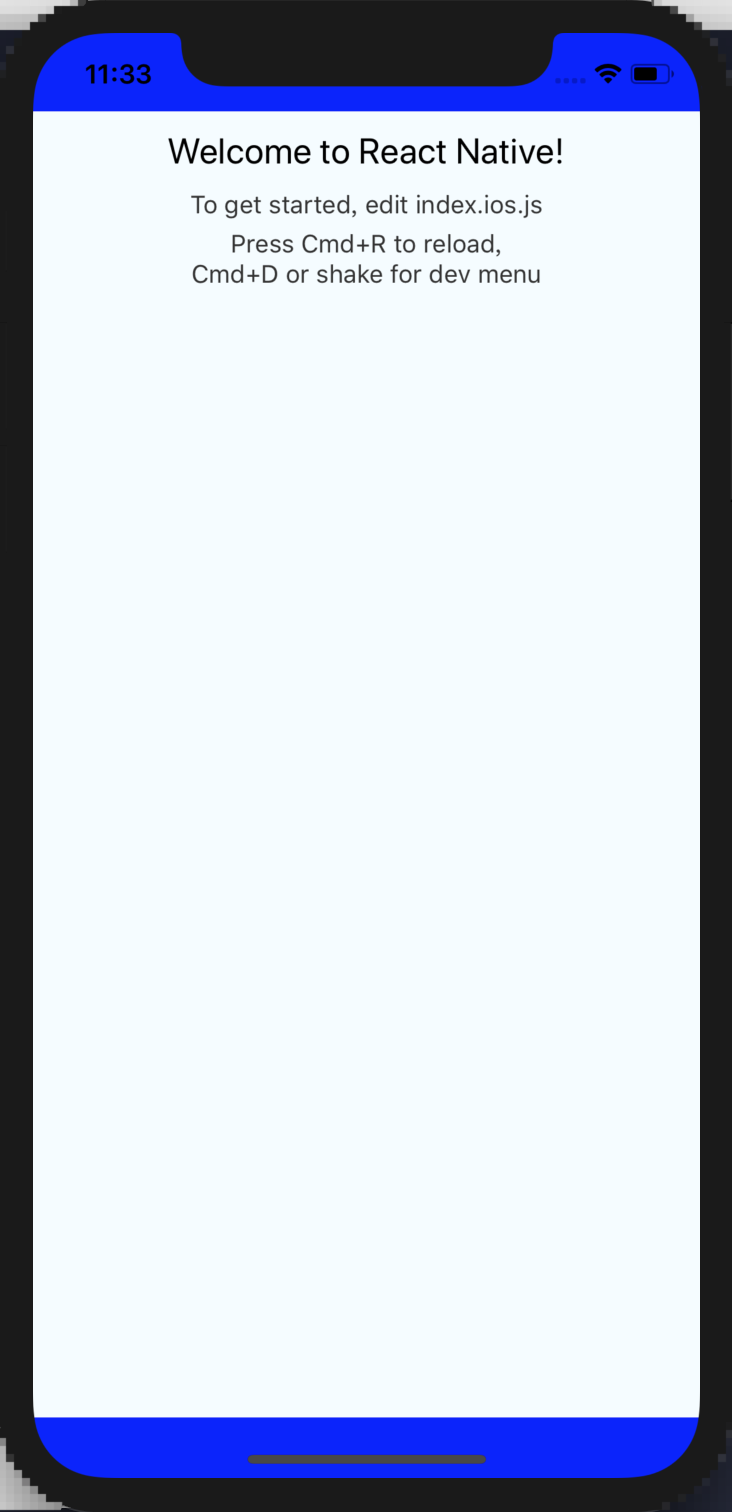
兼容组件SafeAreaView, 高版本使用
react-native默认组件,低版本使用兼容版本
Example
import React, { Component } from 'react'
import { SafeAreaView } from 'react-native-style-adaptive'

export default class MyApp extends Component {
  render() {
    return (
      <SafeAreaView
        style={ { flex: 1, backgroundColor: 'blue'} }
      >
        ... //=> Page code
      </SafeAreaView>
    )
  }
}
validity check
MIT